EducationSoftwareStrategy.com
StrategyCommunity

Knowledge Base

Product

Community

Knowledge Base

TopicsBrowse ArticlesDeveloper Zone

Product

Download SoftwareProduct DocumentationSecurity Hub

Education

Tutorial VideosSolution GalleryEducation courses

Community

GuidelinesGrandmastersEvents
x_social-icon_white.svglinkedin_social-icon_white.svg
Strategy logoCommunity

© Strategy Inc. All Rights Reserved.

LegalTerms of UsePrivacy Policy
  1. Home
  2. Topics

KB442591: How to pass selection answers for multiple selectors to a target document using documentID with URL API in MicroStrategy Web 10.x.?


Katarzyna Olszewska

Senior Cloud Support Engineer III • MicroStrategy


The purpose of this knowledge base article is to explain how to pass selections of multiple selectors to a document using URL API in MicroStrategy Web 10.x using multiple events event.

ACTION 
An example for four selectors:
http://<web server>/Strategy/asp/Main.aspx?
Server=<server>
&Project=<project>
&Port=<port number, 0 by default>
&evt=2048001
&src=Main.aspx.2048001
&documentID=9F82F6B1409DDE928A9A3097F44C9540
&evt=1024001
&src=Main.aspx.oivm.rwb.1024001
&events=-2048084*.Main***.aspx***.oivm***.rwb***.2048084*.ctlKey*.WF8EF441AF6B840949F57097AC0862F83*.elemList*.h2%3B8D679D3711D3E4981000E787EC6DE8A4*.usePartDisplay*.1*.currentIncludeState*.true*.applyNow*.0*.targetType*.0.
2048084*.Main***.aspx***.oivm***.rwb***.2048084*.ctlKey*.W6D6D6901495E4FBE8C8AFC1D85711278*.elemList*.h41%3B8D679D4F11D3E4981000E787EC6DE8A4*.usePartDisplay*.1*.currentIncludeState*.true*.applyNow*.0*.targetType*.0.
2048084*.Main***.aspx***.oivm***.rwb***.2048084*.ctlKey*.W2FD8BC3DA2A14BACADD2404D327CF32C*.elemList*.h2015%3B8D679D5111D3E4981000E787EC6DE8A4*.usePartDisplay*.1*.currentIncludeState*.true*.applyNow*.0*.targetType*.0.
2048084*.Main***.aspx***.oivm***.rwb***.2048084*.ctlKey*.W099ED2E5E5E741528FB74366CC60CCA4*.elemList*.h201402%3B8D679D4411D3E4981000E787EC6DE8A4*.usePartDisplay*.1*.currentIncludeState*.true*.applyNow*.0*.targetType*.0.
2048014*.Main***.aspx***.oivm***.rwb***.2048014_
&evtorder=2048001%2c1024001
&2048001=1
&1024001=1
In this example:
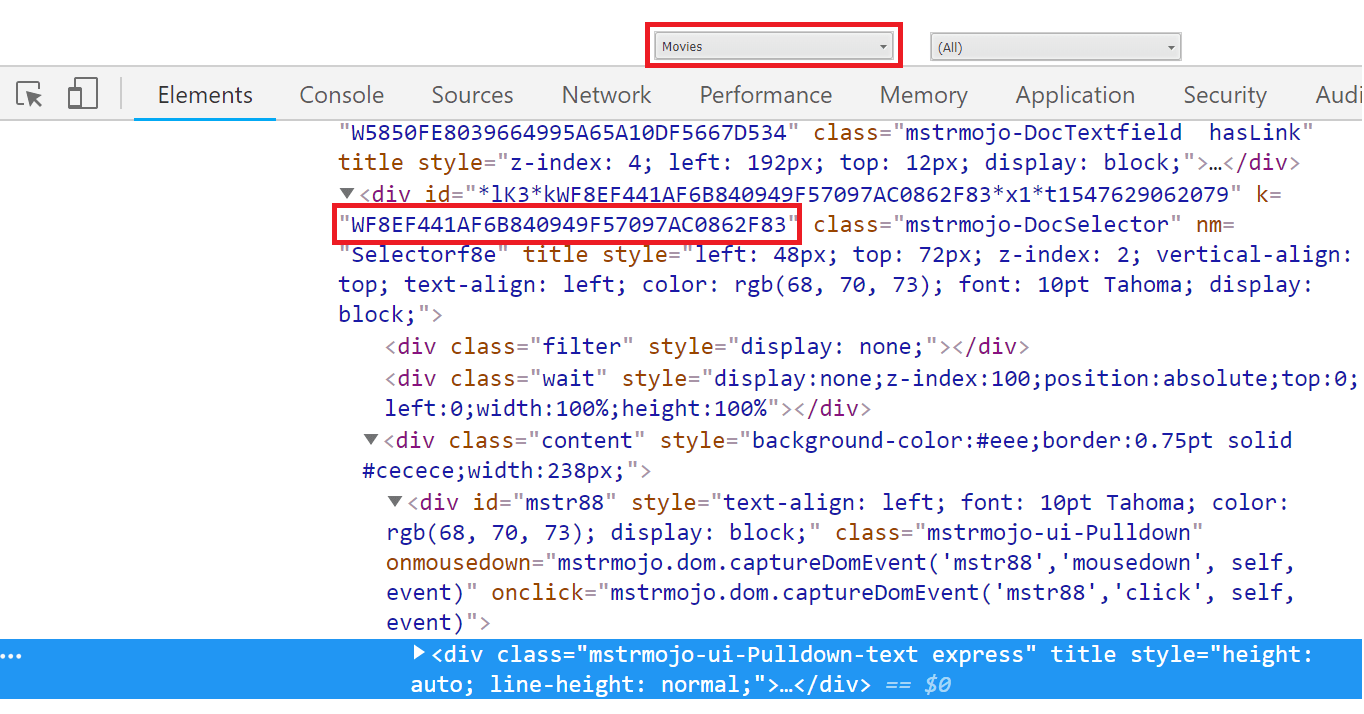
  •  Sections in bold need to be adjusted. The cltKey parameter can be read using Developer tools:
  1. Run the document and press F12 to open the Developer Tools console.
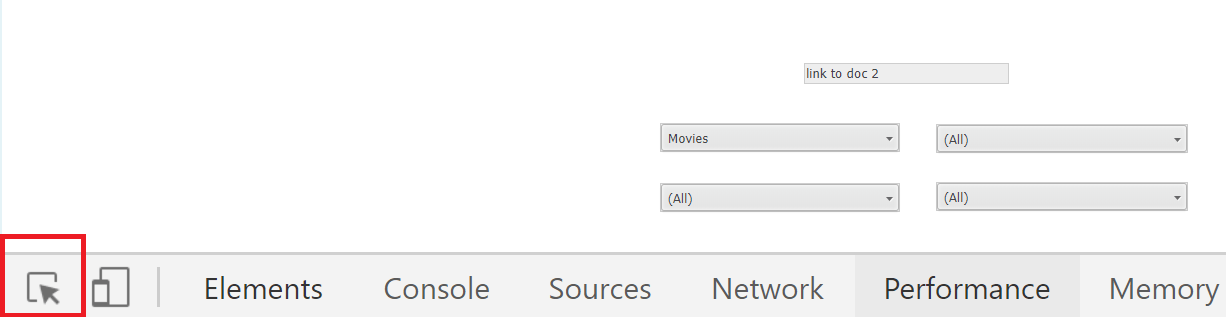
  2. Use the Inspector tool to select an element:
ka044000000kPrrAAE_0EM44000000RiTT.png


 3. Read the parameter as per:

ka044000000kPrrAAE_0EM44000000RiTY.png


  • For the elemList parameter, the first section contains of hAttributeElementID%3BGUID. Those values can be read i.e. from the page source of the document.
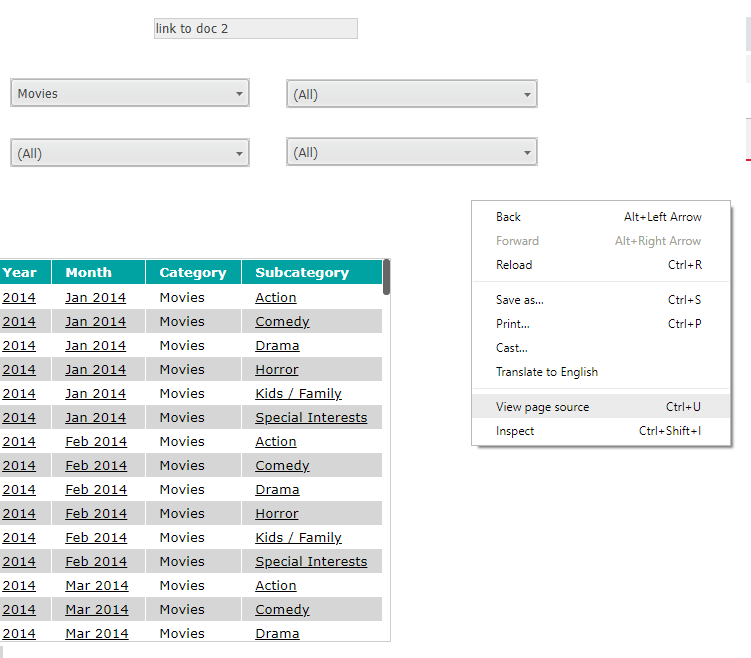
  1. Run the source document and view page source.
ka044000000kPrrAAE_0EM44000000RiSV.png


  2. Search for the Attribute Element you would like to find.

ka044000000kPrrAAE_0EM44000000RiSk.png
  • Each of sections passes value for one selector, i.e.:


2048084*.Main***.aspx***.oivm***.rwb***.2048084*.ctlKey*.W099ED2E5E5E741528FB74366CC60CCA4*.elemList*.h201402%3B8D679D4411D3E4981000E787EC6DE8A4*.usePartDisplay*.1*.currentIncludeState*.true*.applyNow*.0*.targetType*.0.
URL can be easily adjusted for different number of selectors by simply adding/removing additional part.

  • For JSP environment “Main.aspx” needs to be replaced with “mstrWeb”.
  • Part where the order in which the previous events should be executed is specified is: 

&evtorder=2048001%2c1024001
&2048001=1
&1024001=1
 
KB ID: KB442591


Comment

0 comments

Details

Knowledge Article

Published:

January 16, 2019

Last Updated:

January 17, 2019