Starting with the release of Strategy ONE (March 2024), dossiers are also known as dashboards.
When a user try to upload .mstr file with Live cube which created by using DSN DB role combined with Native PostgreSQL ODBC driver, the below error message is displayed
after he inputs username and password and clicks “Test & Save Changes” button:
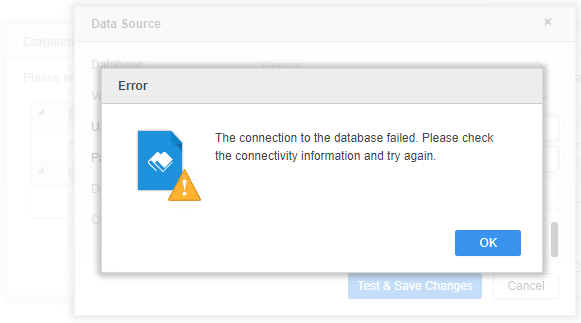
Then the user clicks “Cancel” button and checks data in Visualization.

When a user try to upload .mstr file with In memory cube which created by using DSN DB role combined with Native PostgreSQL ODBC driver, the below error notification is displayed after he clicks “Republish Cube” button and inputs username and password:
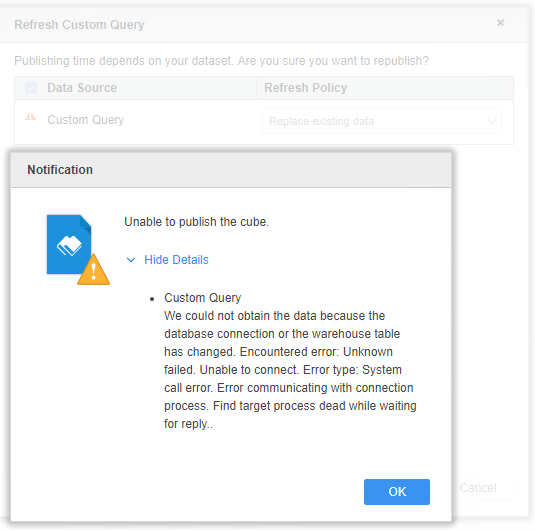
We’re using Progress ODBC driver manager on both Windows and Linux I-Server environment. For Unicode drivers on Linux environment will use UTF-8 by default unless we set DriverUnicodeType=1 in the connection string to clarify we’re using a UTF-16 driver. Valid values for the option are 1 (UTF-16) or 2 (UTF-8).
Currently, this issue is being reviewed by Strategy Technology team for a potential code fix on an upcoming Strategy release.
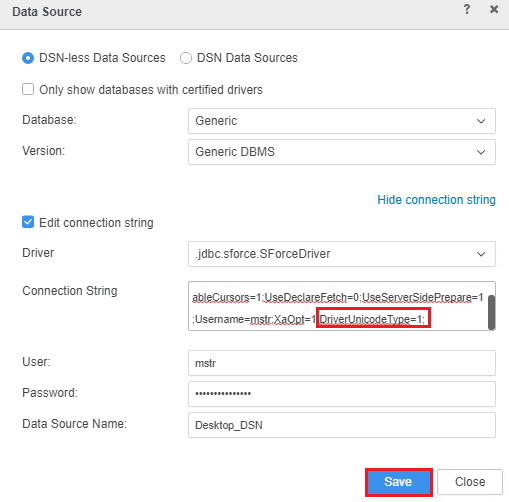
Edit the DB role and add “DriverUnicodeType=1;” at the end of the connection string, click the “Save” button in DB role configuration.
To find the DB role, please open the dossier which a customer uploaded, and choose “Edit Dataset” from the dataset.

Then choose “Edit Table” from the table.

Edit the DB role by adding “DriverUnicodeType=1;” at the end of the connection string, click the “Save” button.
KB442593
