EducationSoftwareStrategy.com
StrategyCommunity

Knowledge Base

Product

Community

Knowledge Base

TopicsBrowse ArticlesDeveloper Zone

Product

Download SoftwareProduct DocumentationSecurity Hub

Education

Tutorial VideosSolution GalleryEducation courses

Community

GuidelinesGrandmastersEvents
x_social-icon_white.svglinkedin_social-icon_white.svg
Strategy logoCommunity

© Strategy Inc. All Rights Reserved.

LegalTerms of UsePrivacy Policy
  1. Home
  2. Topics

KB44272: "[Error 1069: The service did not start due to a logon failure]" error message appears when trying to start the Intelligence Server service from Windows Services


Community Admin

• Strategy


SYMPTOM:
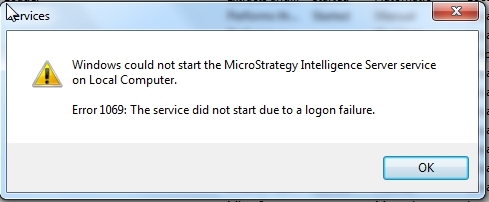
When trying to start the Intelligence Server through Windows Services, the service will not start. Additionally, the following error message is encountered:


Error 1069: The service did not start due to a logon failure
ka04W000000Oh1DQAS_0EM4400000029YQ.jpeg

 
CAUSE:
This error happens when the password for the user account running the Strategy Intelligence Server service is changed but not updated in the service properties. 
 
ACTION:
Update the password for the user account running the Strategy Intelligence Server service in the service properties (through Windows Services).


Comment

0 comments

Details

Knowledge Article

Published:

June 6, 2017

Last Updated:

June 6, 2017