SYMPTOM:
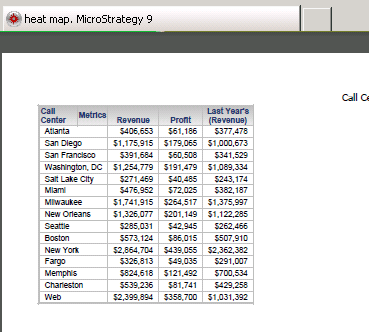
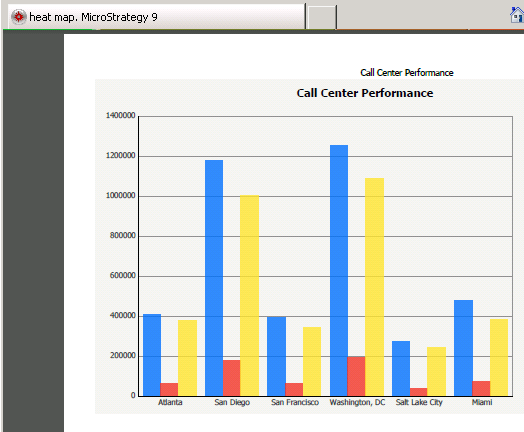
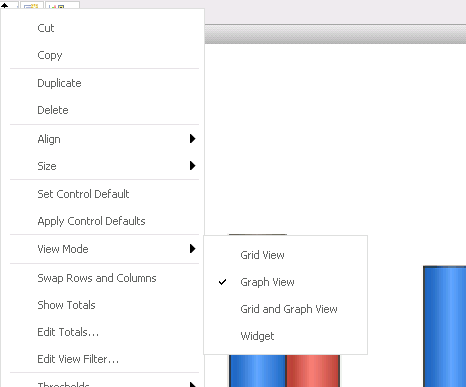
A user creates a document with a flash widget such as a heatmap widget. They configure the widget's view mode to "Grid View", so that when the user exports the document to Excel or PDF, the output of the widget converts into a grid. The user also enables the Quick Switch to allow to toggle the display between the widget and the grid. When the user runs the document in Flash mode, the document displays as a widget, as expected. When exporting to Excel or PDF the first time, the widget converts to a grid, as expected. However, if the user toggles the Quick Switch, in Strategy Web 9.3.0, to see the grid and back to see the widget, and performs the export again, the output now appears as a graph, instead of a grid.
STEPS TO REPRODUCE:
CAUSE:
This is an known issue with Strategy Web 9.3.0. The quick switch toggles the view mode between Grid and Graph. When it is used in Flash mode for a grid configured with a widget, it toggles between Grid and Widget instead. However, for the underlying view mode, each time the quick switch is used, it continues to toggle the view mode between grid and graph. So it will incorrectly be set to graph when the second export attempt is performed.
ACTION:
Contact Strategy Technical Support for an update on the issue.
WORKAROUND:
To ensure the export shows up as a grid and not as a graph, use Quick Switch to display the grid, then perform the export. The document will display as a grid under this scenario.
The Strategy Internal Reference Number for the issue discussed in this technical note is 774600.
