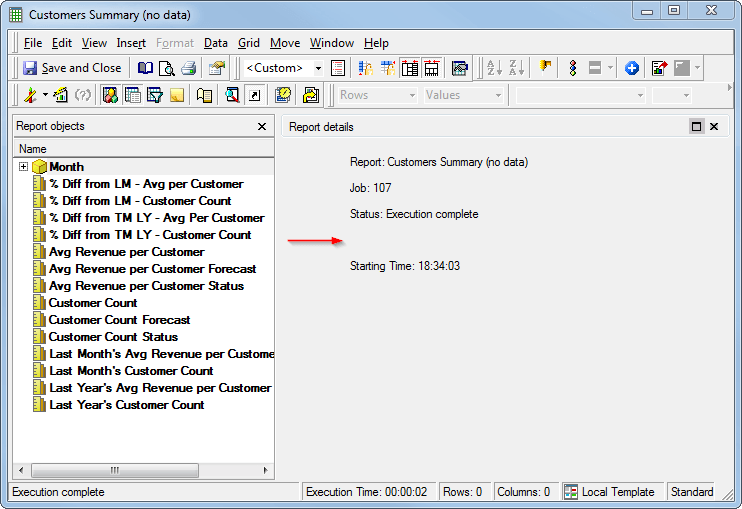
ISSUE:
In Strategy Developer, under Project Configuration > Report definition > Advanced, leaving the "No data returned" field blank displays the default message, instead of omitting the message. This is working by design. However, it may be desired to remove the message completely.
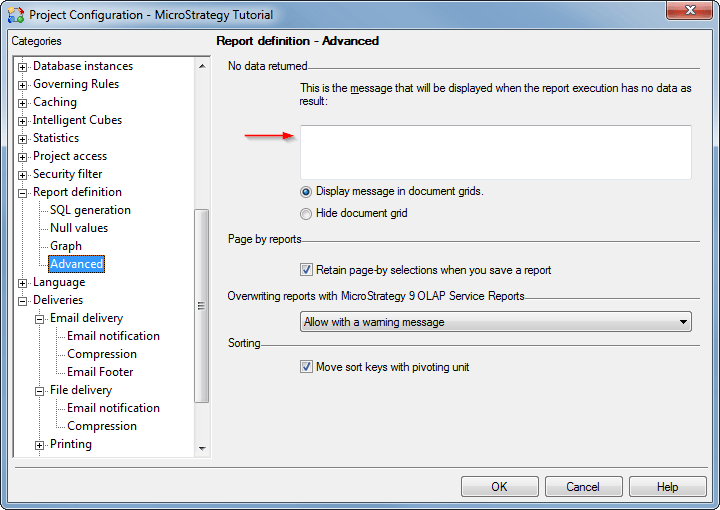
Note: Filling the field with a blank space is viewed as leaving the field blank and the default message is displayed.
ACTION
Fill the "No data returned" field with a "no-break space" character. This results in a blank "No data returned" message as the character is not treated as blank space. The "no-break space" character is available from the Character Map in Windows, or by using the alt-code shown below.
U+00A+: No-Break Space
Keystroke: Alt+0160
A no-break space has been placed between the brackets below, and can be used by copying and pasting text:
--><--