SYMPTOM:
The following error message appears when defining a remote shared folder as a remote shared folder in the File Location field in Strategy Desktop accessing a Strategy Intelligence Server 9.x instance running on Windows Server 2008 64-bit:
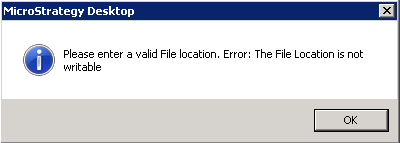
Sample Code/Error
Please enter a valid File location. Error: The File Location is not writable
CAUSE:
The shared folder path specified in the File Location field contains the shared folder driver name along with the special character used to access administrative shares i.e. "c$"; however, the driver itself hasn't been shared, so it is not recognized:

ACTION:
Define the File Location field using the Universal Naming Convention (UNC) format with the share name, it might either a folder or a driver with or without a shared folder i.e."\\machine name or IP\shared folder or driver name, as shown:

NOTE:
The administrative shares such as "c$" are not recognized.
