SYMPTOM
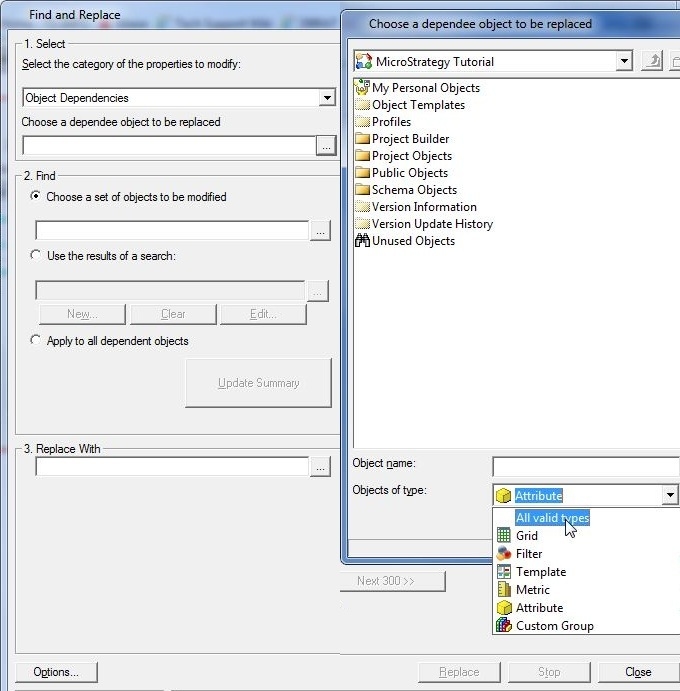
When doing a object dependency search, reports saved in graph mode cannot be selected as an object in Strategy Developer 9.4.1 and 10.x and only reports in grid mode can be searched.
Go to Tools > Find and Replace > Object Dependencies.
* Users will need to enable this option by going to Project Configuration -> Project Definition -> Advanced -> Enable Find and replace Object Dependencies
When choosing a 'dependee object to be replaced', you will not see graph a type of object and any report saved in graph mode will not show up in the explorer.
CAUSE
This is a known issue in Strategy Developer 9.4.1 and 10.x. Contact Strategy Technical Support for an update.
WORKAROUND
Open the report and save it in Grid Mode. Users will be able to search object dependents.
