EducationSoftwareStrategy.com
StrategyCommunity

Knowledge Base

Product

Community

Knowledge Base

TopicsBrowse ArticlesDeveloper Zone

Product

Download SoftwareProduct DocumentationSecurity Hub

Education

Tutorial VideosSolution GalleryEducation courses

Community

GuidelinesGrandmastersEvents
x_social-icon_white.svglinkedin_social-icon_white.svg
Strategy logoCommunity

© Strategy Inc. All Rights Reserved.

LegalTerms of UsePrivacy Policy
  1. Home
  2. Topics

KB44537: "This property is not available unless the template is in a Report Instance which has been processed by the Analytic Engine" error message appears when exporting reports to Excel in MicroStrategy Developer


Stefan Zepeda

Salesforce Solutions Architect • Strategy


This is a known issue in MicroStrategy Intelligence Server

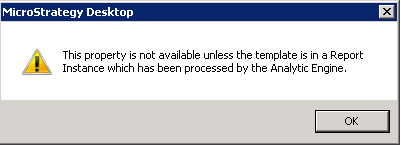
"This property is not available unless the template is in a Report Instance which has been processed by the Analytic Engine" error message appears when exporting a report with a custom group and an attribute in page-by in Strategy Developer, as shown below.
 

ka02R000000kbxiQAA_0EM4400000029Xa.png


This property is not available unless the template is in a Report Instance which has been processed by the Analytic Engine
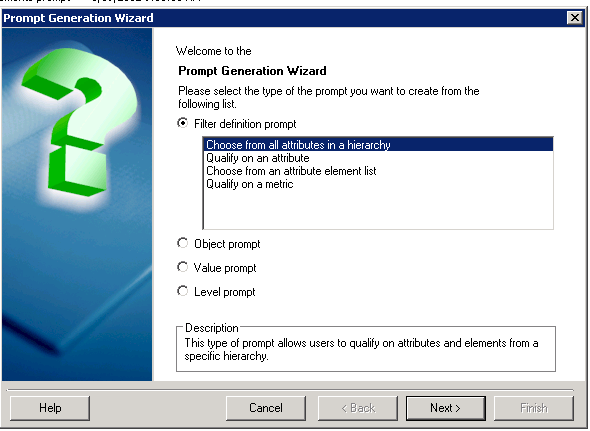
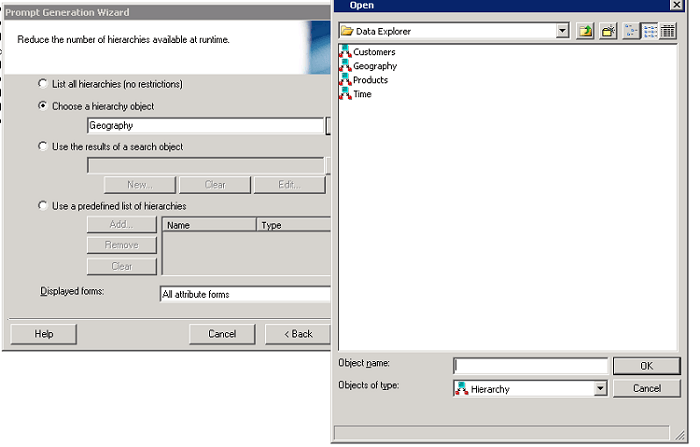
 

Then the report cannot be exported or executed, although before exporting, it can be executed.
 
STEPS TO REPRODUCE:

  • Log in Strategy Tutorial Project in a 3-tier project source.
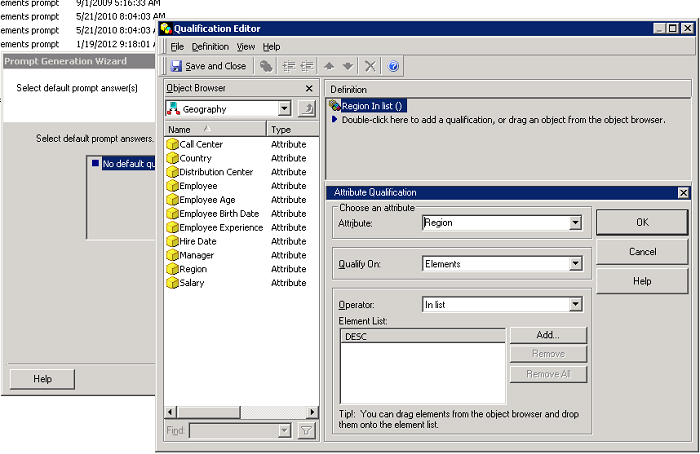
  • Create a filter definition prompt -> Choose from all attributes in a hierachy -> Choose a hierarchy object -> Geography -> Add "Region" as the default answer, as shown below.
ka02R000000kbxiQAA_0EM4400000029XH.png
ka02R000000kbxiQAA_0EM4400000029XJ.png
ka02R000000kbxiQAA_0EM4400000029Xc.png
  • Create a filter based on the prompt created in Step 2.
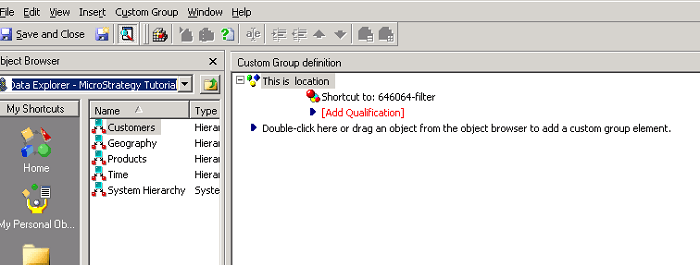
  • Create a custom group and add the filter created in Step 3 as a custom group element, as shown below.
ka02R000000kbxiQAA_0EM4400000029XS.png
  • Create a report with "region" as attribute and "cost" as metric.
  • Add the customer group created in Step4 and the attribute "Year" into page-by area.
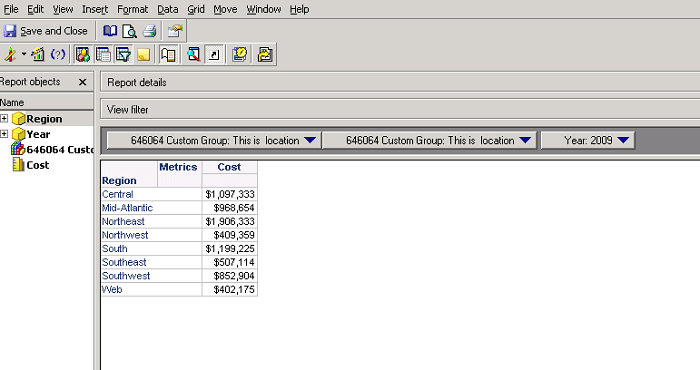
  • Execute the report. It works fine, as shown below.
ka02R000000kbxiQAA_0EM4400000029XX.png
  • Export the report to Excel. The message "This property is not available unless the template is in a Report Instance which has been processed by the Analytic Engine" appears.
  • The report cannot be exported for the "Export to" option is grey.
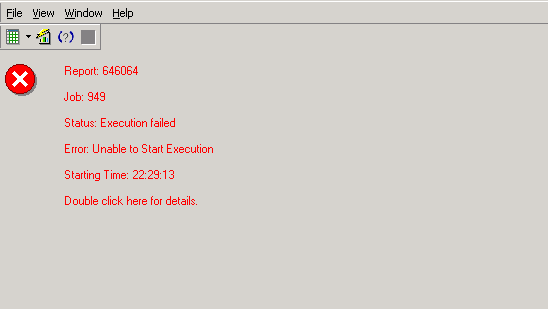
  • Re-execute the report against the warehouse. Error message appears as shown below.
ka02R000000kbxiQAA_0EM4400000029XN.png

 
CAUSE:
This is a known issue in Strategy Intelligence Server.


Comment

0 comments

Details

Knowledge Article

Published:

June 5, 2017

Last Updated:

June 5, 2017