DESCRIPTION
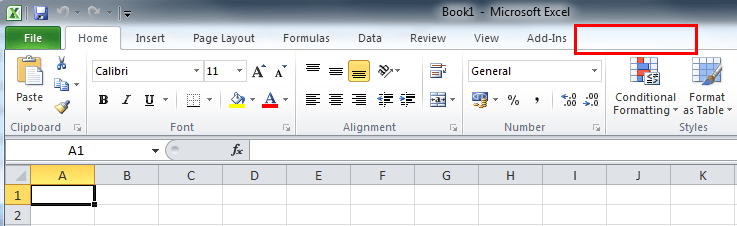
After installing Strategy Office add-in 9.x on a Windows machine running Microsoft Office 207 or 2010, the Strategy Office Toolbar is not shown in Microsoft Office as seen on the screenshot below:
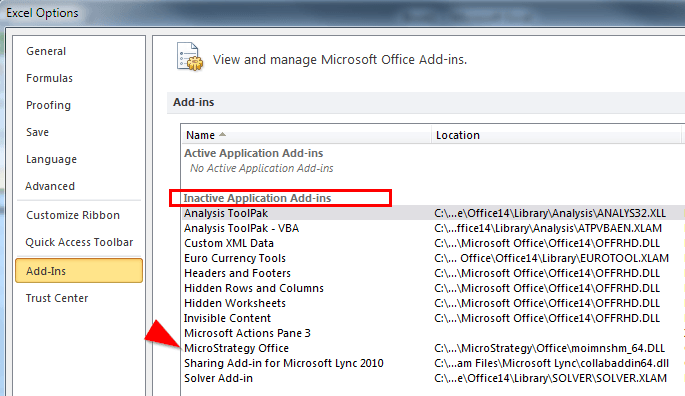
In Microsoft Excel under File > Options > Add-ins, Strategy Ooffice is listed under inactive Application Add-ins.
CAUSE
One possible reason is the Microsoft Office option "Require Application Add-ins to be signed by Trusted Publisher" under File > Options > Trust Center > Trust Center Settings > Add-ins is enabled. With this option enabled, Strategy must be added as Trusted Publisher to the list of Trusted Publishers.
Please refer to the following Microsoft article for further information:
http://office.microsoft.com/en-gb/excel-help/add-remove-or-view-a-trusted-publisher-HA010354309.aspx
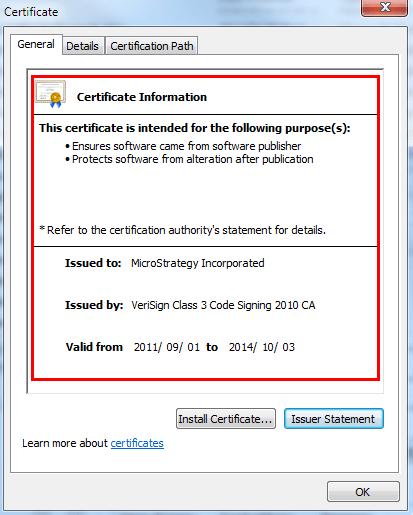
Strategy Office DLLs are digitally signed with certificates that are issued to the signing publisher (Strategy Incorporated) by a reputable certificate authority (CA) as seen on the example certificate below:
ACTION
Add Strategy to the list of Trusted Providers.
