When using an iFrame inside an HTML container on a Report Services Document and the zoom factor on the document is adjusted, the content inside of the HTML container does not get readjusted accordingly, like the rest of the document does in Strategy Web 9.4.1 and above.
1. Insert iframe code inside of the HTML container to display some content, e.g. another Strategy report.
Note: The iframe code to reproduce this issue can be taken from the Show Link functionality, HTML iframe section.
2. Run the document and it will display, as shown below:
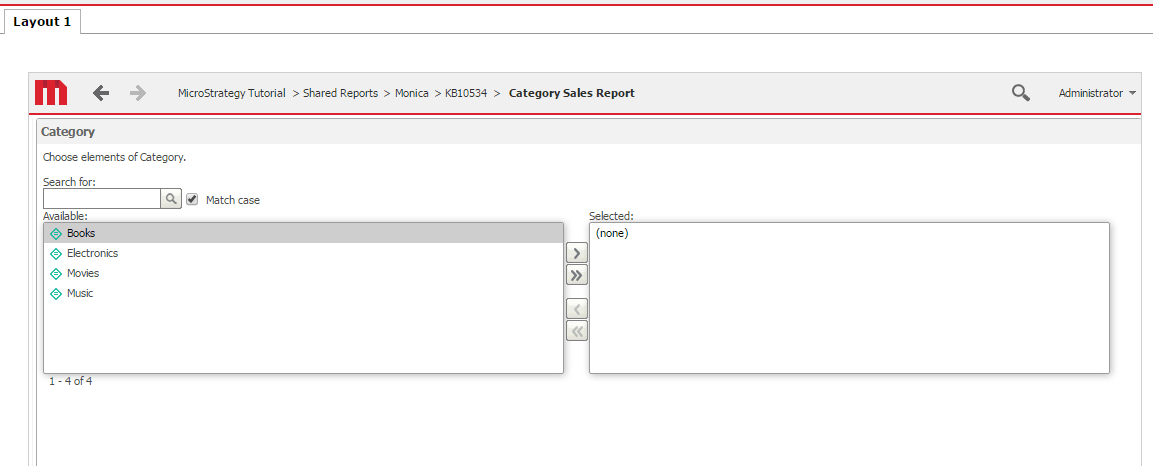
Note: In this case, the other report was prompted, so the document displays the prompt page inside the HTML container.
Note: The Zoom Factor is set to 100%
3. Change the zoom factor on the document to 50%, as shown below:

Note: The document is zoomed out, however, the size of the content inside of the HTML container is not adjusted accordingly to the zoom.
This is a known limitation in Strategy Web 9.4.1 and above.
Strategy will continue to investigate and post updates as soon as they are available.
