SYMPTOM:
When performing a data load in Enterprise Manager, the data load fails with the following error in the MSTRMigration.log.
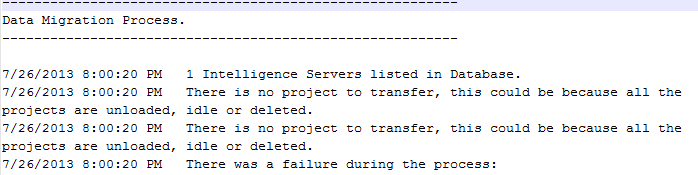
Sample Code/Error
There is no project to transfer, this could be because all the projects are unloaded, idle or deleted.
CAUSE:
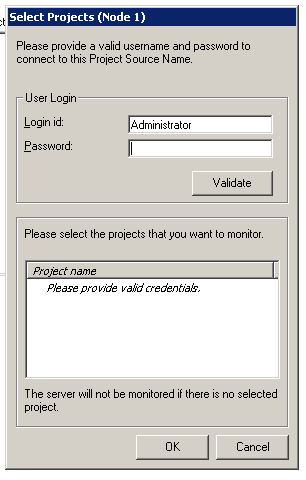
One possible cause for this error message is that the password for the Administrator user has changed and this change has not been received by the Enterprise Manager console.
ACTION:
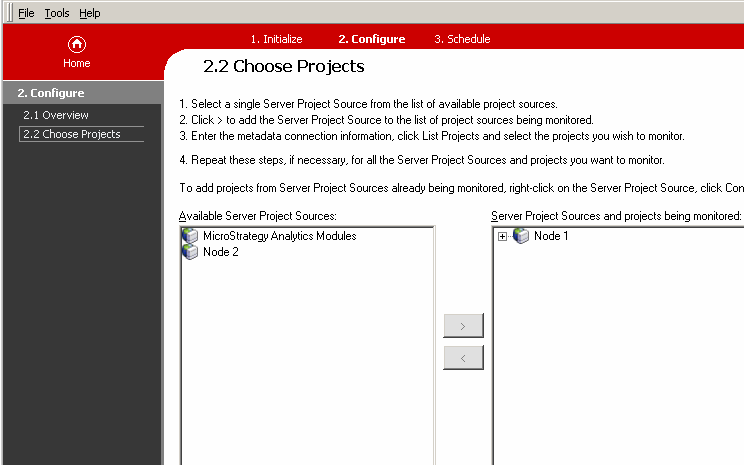
In the Enterprise Manager console, on step "2.2 Choose Projects", move the project source that is being monitored to the left and move it back to the right again. After doing so, correct the password as shown below.