Strategy Web Universal 9.4.1 and above can be deployed on the fly in Apache Tomcat running on Linux without a restart or having to access the Tomcat administration page. Accomplish this by following the steps below:
1. Copy the .war Strategy Web Universal file to be deployed into the Tomcat home directory, as shown:

2. Change the owner and group of the .war file to the user and group of the Apache Tomcat process:

3. Go to the webapps/ directory and check that the .war file to be deployed doesn’t exist into this directory:
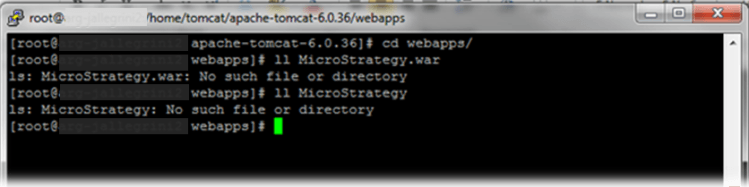
4. Once it is verified that the file doesn’t exist, move the file .war file from the Tomcat home directory into this directory:
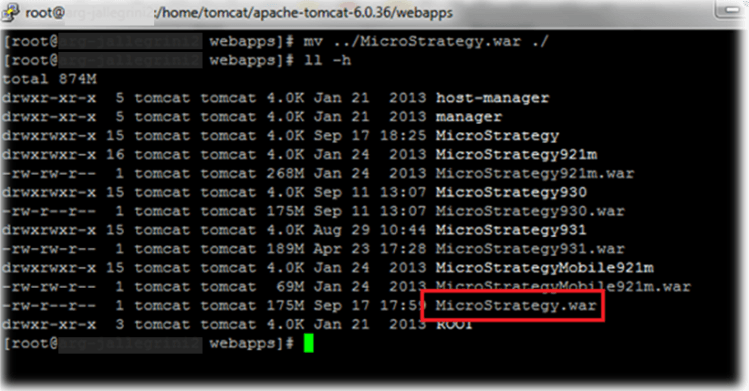
5. After some seconds, the .war file is going to be deployed automatically through the Automatic Application Deployment Apache Tomcat feature:

6. After the .war deployment, the Strategy Web Universal can be accessed from a browser:

NOTE:
For further information about the referred Tomcat feature, refer to the following external reference:
Third Party Software Installation Warning:
The third-party product(s) discussed in this technical note is manufactured by vendors independent of Strategy. Strategy makes no warranty, express, implied or otherwise, regarding this product, including its performance or reliability.
