DESCRIPTION
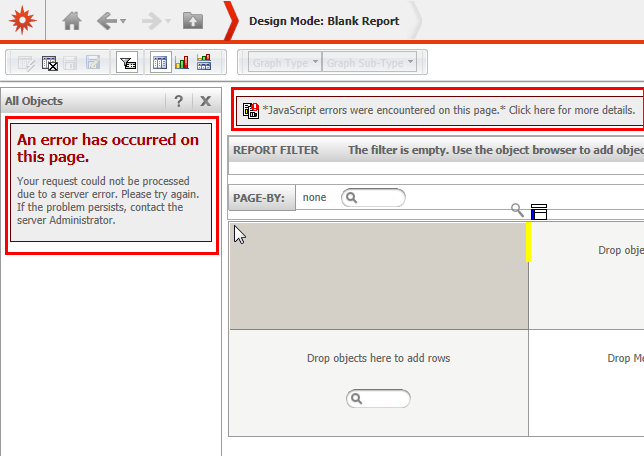
When a non-administrative user attempts to go up one level through the object browser in report design view, a Strategy Web Server error message and a JavaScript error is shown.
An error has occurred on this page

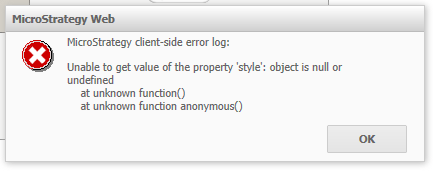
Strategy client-side error log:

Unable to get value of the property 'style': object is null or undefined
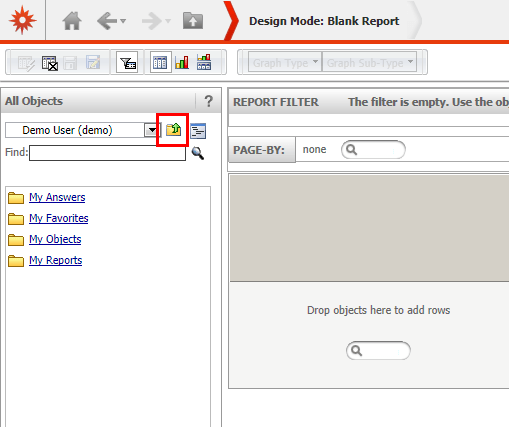
3. The following error appears:
Detailed error of the JavaScript error message states:
CAUSE
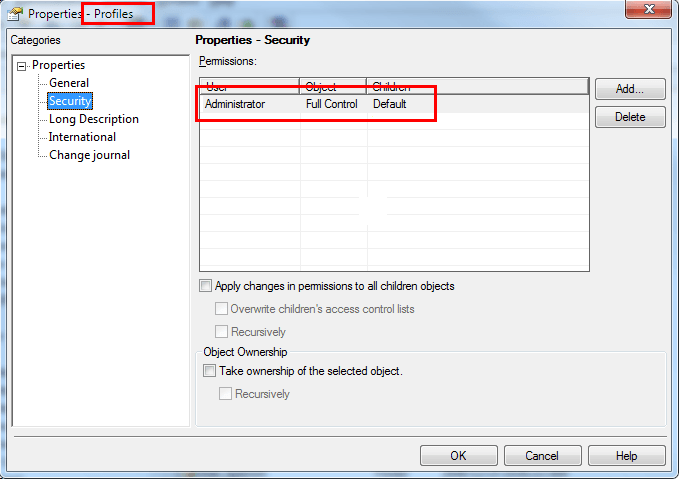
The root cause of this error is the fact that by default, users have no access to the project folder "Profiles". Every user folder profile folder is stored in a system folder "Profiles" and when creating a new project, only Administrators have permissions to access the content of the profiles folder.
Profile folder object in Strategy Desktop:
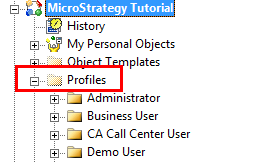
Permissions of folder "Profiles"
SOLUTION
This issue has been addressed with Strategy 10. Upgrade to take advantage of the fix.
WORKAROUND
There are two workarounds available to avoid this issue.
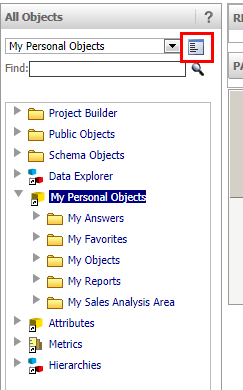
1. Change object browser mode to "Tree view": The error message does not occur when changing from folder view to tree view. In tree view, the up one level icon is not shown and therefore the error can be avoided.
2. Change profile folder permissions: By giving view permissions to the profile folder, user will not encounter the error message, though will be able to view profile folders of other users.
