SYMPTOM:
Users trying to access configuration objects such as the Project Configuration or User Editor may find that they are unable to make changes to the configuration and may only view the editors in "read-only" mode. Users also see the following popup when they try to edit a configuration object:
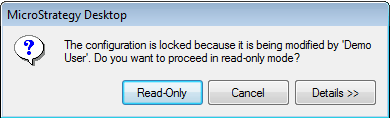
The configuration is locked because it is being modified by '<User>'. Do you want to proceed in read-only mode?
CAUSE:
This message is seen because the configuration has been locked by another user.
ACTION:
The configuration can be unlocked through Strategy Developer by navigating to Administration > Locking > Unlock configuration in the Developer toolbar. After unlocking the configuration, objects can be edited. For more information on configuration locking, as well as the other types of locking, refer to the following Strategy KnowledgeBase technical note:
KB12274 - Differences between Schema Lock, Lock Project and Lock Configuration in Strategy Desktop 8.1.x and 9.0.x
