SYMPTOM:
Strategy can support the integration of duplicate tables in multiple data sources through the use of MultiSource Option. The Strategy SQL Engine can then obtain any required attribute information from the data source that stores that information. This process can return this information to reports and documents without any extra considerations or tasks for a report or document designer. Including duplicate copies of tables from different data sources allows Strategy to execute within a single data source for certain types of queries.
One of the requirements to import multiple copies of the same table from different data sources into a project, is that the new table and its columns must have the same name as the already existing table/columns in the project. There is no case-sensitivity requirement for the name of the table; however, In Strategy Architect 9.2.1 - 9.3.x, it is not possible to add duplicate tables from multiple data sources when the letter case of the tables' names are different.
STEPS TO REPRODUCE:
1. Make a copy of the Tutorial Data Access Database (the issue is seen in other database types too). In the new copy, change the name of the LU_YEAR to lu_year.
2. Create a new DSN and a DB Instance for the new file.
3. Open Architect, add the the new DB Instance to the project.
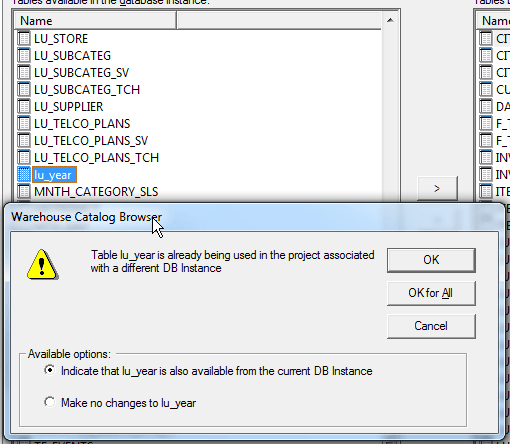
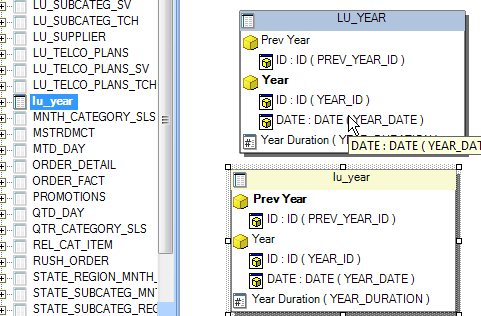
4. Add the lu_year table to the project. Architect does not recognize that this table already exists because in this instance the table is with lower case letters.
CAUSE:
This is an Architect limitation. The issue has been logged with Technology.
WORKAROUND:
Add the same table from Warehouse Catalog. The table is recognized and added as a duplicate.