SYMPTOM:
When the "User Group", "User", and "Configuration Object Exists Status" attributes are placed together on the same report, an incorrect value for "Configuration Object Exists Status" is displayed. The screenshot below shows the output of a report with "User" and "Configuration Object Exists Status" attributes:
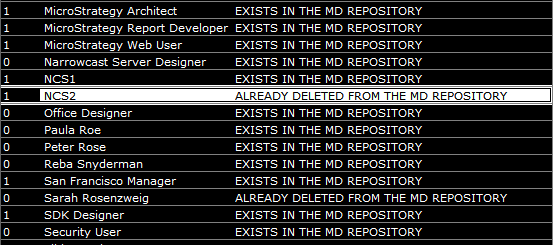
The screenshot below shows the output of a report with "User Group", "User", and "Configuration Object Exists Status" attributes:

CAUSE:
This is working as intended and is due to the way the schema for the Enterprise Manager project is designed. The "User Group" attribute is a parent of the "User" attribute. Both "User Group" and "User" attributes are parent attributes for the "Configuration Object Exists Status" attribute.
ACTION:
Create a report with the "User" and "Configuration Object Exists Status" attributes. Use the newly created report as a filter on a report that contains the "User Group", "User" and "Configuration Object Exists Status" attributes.
