SYMPTOM:
Users may observe that when drilling on a report which is based off an Intelligent Cube, or applying a view filter to one or more elements of an attribute in the report, no data is returned as seen below:
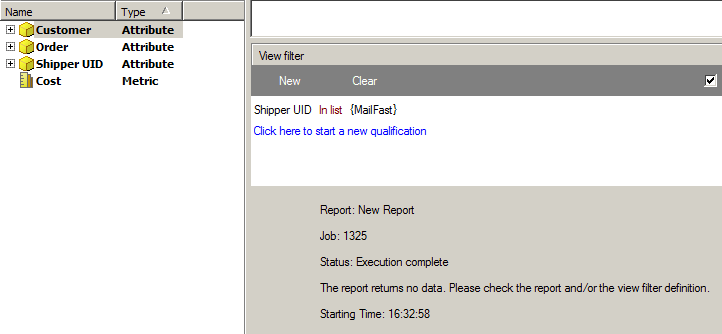
However, users will be able to confirm the existence of data for this attribute element in the report by changing the view filter to qualify on the attribute element 'DESC' or other form:

CAUSE:
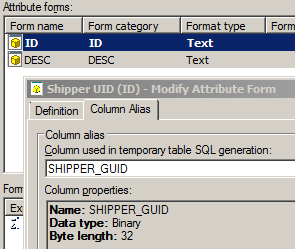
This is a known issue with Strategy Analytical Engine 9.x when performing binary to string conversion and comparison. The ID form of the attribute can be seen to be based of a column of data type 'Binary' or 'VarBinary' or 'Long VarBinary', and the form type specified in the attribute definition is 'Text' which requires a conversion from Binary to Text by the Analytical Engine. An example of such an attribute is shown below:
ACTION:
Users should contact Strategy Technical Support for an update on this issue.
WORKAROUND:
Users may be able to workaround this issue by casting / converting the column to a text data type either through a 'ApplySimple' in the attribute definition or by creating a view or logical table with the column cast as a text field. This workaround would be dependent on the syntax and conversions supported by the underlying warehouse database.
