SUMMARY:
This issue has been classified as an enhancement by Strategy.
The impact is limited to Strategy 9.x products when using conditional formatting on a text box that contains auto text codes for document information.
SYMPTOM:
A user creates a document that contains a text box with the auto text {&SERVERNAME}. The user applies conditional formatting on the text box based on the server name. However, this conditional formatting does not apply to the text box.
STEPS TO REPRODUCE:
1. Create a document in Desktop and add a text box that contains the auto text {&SERVERNAME}
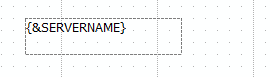
2.When the document is executed, this text box will display the name of the Intelligence Server machine where the document is run. In this case, the Server name is localhost
3. In design mode, Add conditional formatting to the text box to change the color of the text to red when the selected text field exactly localhost

4. This conditional formatting does not apply to the text box when the document is executed.

5. This issue occurs for any auto text codes for document information such as {&PROJECT}, {&PAGE}, or {&USER}
CAUSE:
This issue is caused by the evaluation order. Currently, the conditional formatting is evaluated before the replacement of the auto text.
ACTION:
This issue has been addressed in Strategy 9.4.1 or above.
Please upgrade to take the advantage.
KB44811
