SUMMARY:
This issue has been classified as an enhancement by Strategy. The impact is limited to documents in Strategy 9.x that contain a grid where a metric limit is applied at the grid level within the document. A workaround is available in the current document. A solution/code fix for this issue is not available in current releases but is being reviewed for a future Strategy release.
SYMPTOM:
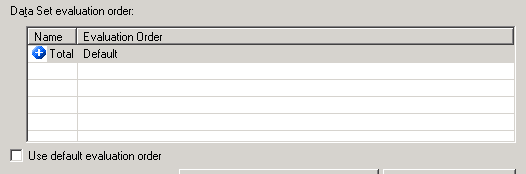
The user has created a document and added a grid to the document. The user adds a metric limit at the grid level on the document. If the user tries to change the evaluation order for the grid, the metric limit will not display in the evaluation order:
STEPS TO REPRODUCE:
1. Create a report with the year attribute and the revenue metric.
2. In Strategy Web, create a document and add the report as a grid on the document.
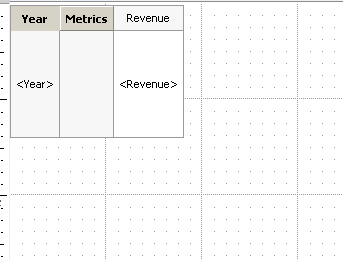
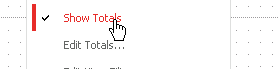
3. Right click on the grid and select Show Totals
4. While still right clicking on the grid, select Edit View Filter.
5. In the View Filter window, create a view filter defined as Revenue Highest 2 and Select Apply.
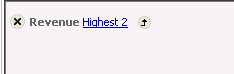
6. Save the Document.
7. In Developer, open the document in design mode.
8. Double click the grid and select Data > Grid Data Options

9. In the Report Data Options Window, Select Calculations > Evaluation Order
10. Uncheck the Use default evaluation order checkbox and only the total displays. The Metric Limit does not display in the evaluation order options.

CAUSE:
The ability to change the evaluation order for a metric limit applied at the grid level on a document is not currently available in Strategy. There is an existing enhancement request for this functionality.
ACTION:
Strategy will continue to investigate and post updates as soon as they are available.
WORKAROUND:
A workaround for this issue is apply the view filter at the report level and change the evaluation order for the report:
1. In Developer, Edit the report with the year attribute and the revenue metric
2. Select the Data Menu > Grand Totals to add totals to the report.

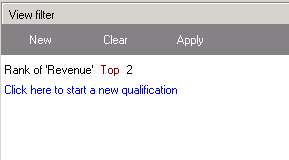
3. In the View filter window, create a view filter defined as Rank of Revenue Top 2 and click Apply
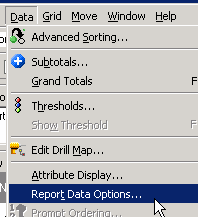
4. Select Data > Report Data Options.
5. In the Report Data Options Window, select Calculations > Evaluation Order.
6. Uncheck use default evaluation order and the Metric Limit will display in the evaluation order options.

7. The evaluation order can be changed for the report and the report can be added as a grid to a document.
ADDITIONAL TROUBLESHOOTING:
If the above workaround does not resolve the issue, please call Strategy Technical support with the following information:
TO LEARN MORE:
Related Tech Notes:
KB31910 "What are the Data Set and View evaluation orders in the Report Data Options Evaluation Order panel in Strategy Desktop 8.1.x and 9.x?"
KB11230 "What is the "Evaluation Ordering" VLDB Property?"
KB42679 "Derived elements do not show up in Evaluation order of a document or dashboard in Strategy Desktop 9.x"
