EducationSoftwareStrategy.com
StrategyCommunity

Knowledge Base

Product

Community

Knowledge Base

TopicsBrowse ArticlesDeveloper Zone

Product

Download SoftwareProduct DocumentationSecurity Hub

Education

Tutorial VideosSolution GalleryEducation courses

Community

GuidelinesGrandmastersEvents
x_social-icon_white.svglinkedin_social-icon_white.svg
Strategy logoCommunity

© Strategy Inc. All Rights Reserved.

LegalTerms of UsePrivacy Policy
  1. Home
  2. Topics

KB44872: "HTTP error encountered while trying to access a REST service. " error message appears while running XQuery report in MicroStrategy Developer 9.x


Stefan Zepeda

Salesforce Solutions Architect • Strategy


"HTTP error encountered while trying to access a REST service. " error message appears while running XQuery report in MicroStrategy Developer 9.x

SYMPTOM:
The following error message appears while trying to access a REST server via XQuery report in Strategy Developer 9.x.


The following error occurs in pass 0: mstr-rest:post() failed. HTTP error encountered while trying to access a REST service.

Error type: XQuery Engine error. couldn't connect to host. Connection String: XQUERY;UID=Data;. Connection String: XQUERY;UID=Data;
 
CAUSE:
Proxy server is being used for the network connection. However, one possible cause is that the proxy address given in the Database Instance configuration is incorrect.
 
ACTION:
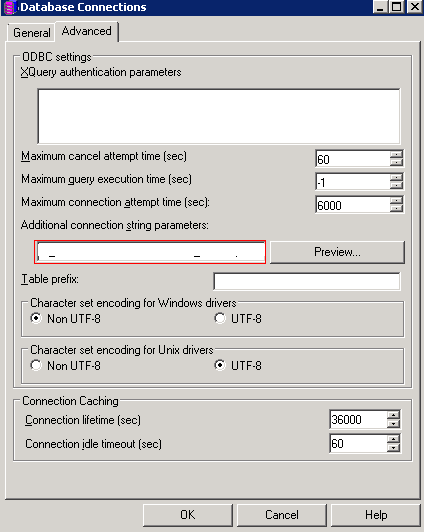
In the Database Connections configuration of the XQuery Database Instance, give correct proxy address in 'Additional connection string parameters' field.

ka02R000000kbBEQAY_0EM440000002Cdz.png


Comment

0 comments

Details

Knowledge Article

Published:

May 9, 2017

Last Updated:

January 31, 2018