DESCRIPTION
When trying to import a file into Visual Insight using Strategy Data Import, the selection window for files does not open. With no file possible to select, the data import wizard cannot be completed.
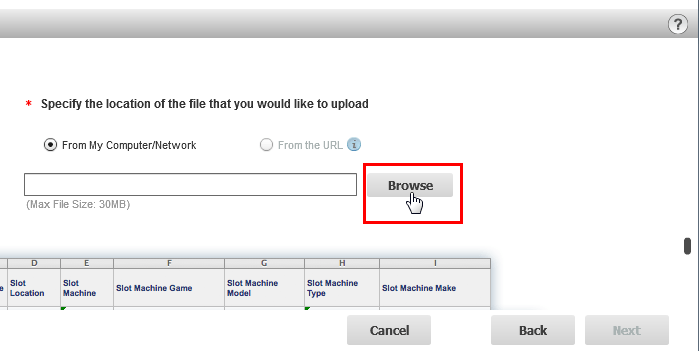
The issue occurs in Microsoft Internet Explorer and Mozilla Firefox only. Google Chrome is not affected.
CAUSE
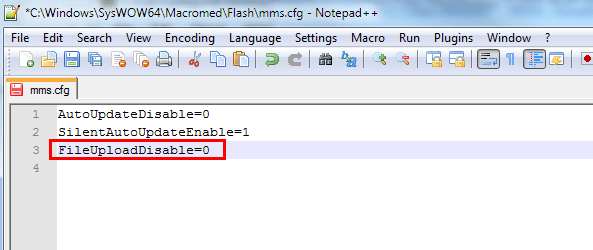
This issue might be caused by a security setting of Adobe Flash installation on the client machine that prevents any Flash instance running on the machine from uploading a file to a remote server. Internet Explorer and Firefox require Flash to be installed on a machine while Chrome provides an integrated plugin within the browser and is thus not affected.
SOLUTION
WARNING:
The third-party product(s) discussed in this technical note is manufactured by vendors independent of Strategy. Strategy makes no warranty, express, implied or otherwise, regarding this product, including its performance or reliability.
This technical note contains a link to a third party website that is not under the control of Strategy. When the user accesses a third party web site, the user does so at his or her own risk and acknowledges that Strategy is not responsible or liable for any content, advertising, products or other materials available from such third party sites. Mention of third party companies and web sites in this technical note is for informational purposes only and does not constitute an endorsement or recommendation.
