SYMPTOM:
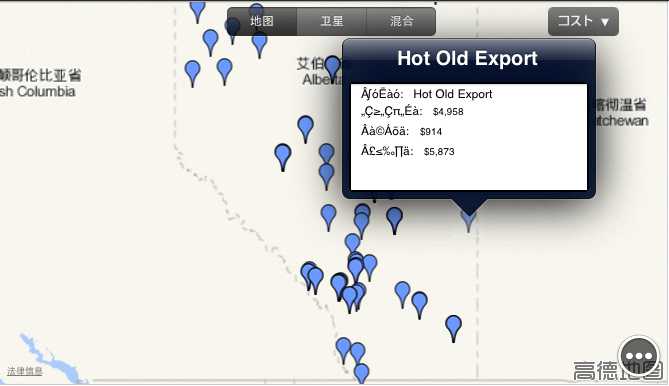
In Strategy Mobile for iOS 9.4.0, Attributes and Metrics names with double-byte characters are corrupted in Map widget's information window.
SYMPTOM:
Follow below steps to reproduce the issue in Strategy 9.4.0 with Tutorial project:
1. In Strategy Web or Desktop, create a report R1 with Store, Cost, Revenue and Profit;
2. Create Report Service document D1 using R1 and apply R1 as Map widget in Mobile;
3. Change project's default language to Chinese or other double-byte language such as Japanese;
4. Run document in iPad, tab to enable information window. Note that the Attributes and Metrics names are corrupted in the information window, as shown below:
CAUSE:
This is known issue in Strategy Mobile 9.4.0.
ACTION:
This issue has been addressed in Strategy Mobile 9.4.1 update 2. Please upgrade to this version to take advantage of the fix.
WORKAROUND:
Use a panel stack as Information Window.
