EducationSoftwareStrategy.com
StrategyCommunity

Knowledge Base

Product

Community

Knowledge Base

TopicsBrowse ArticlesDeveloper Zone

Product

Download SoftwareProduct DocumentationSecurity Hub

Education

Tutorial VideosSolution GalleryEducation courses

Community

GuidelinesGrandmastersEvents
x_social-icon_white.svglinkedin_social-icon_white.svg
Strategy logoCommunity

© Strategy Inc. All Rights Reserved.

LegalTerms of UsePrivacy Policy
  1. Home
  2. Topics

KB45041: Filter conditions cannot be removed from a report which was upgraded from MicroStrategy Web 9.2.1 to MicroStrategy Web 9.3.0


Community Admin

• Strategy


SYMPTOM:
 
Filter conditions cannot be removed from a report which was upgraded from Strategy Web 9.2.1 to Strategy Web 9.3.0. 
 
STEPS TO REPRODUCE:
 
Follow the steps below to reproduce the issue with Strategy Tutorial project:
 

  1. In Strategy Web 9.2.1, create a report with an attribute Region, a metric Cost and a filter on attribute Quarter (Quarter = 2009 Q4), as shown below:
ka04W000000Oe9mQAC_0EM4400000026VF.jpeg


  • Upgrade the metadata to Strategy 9.3.0.
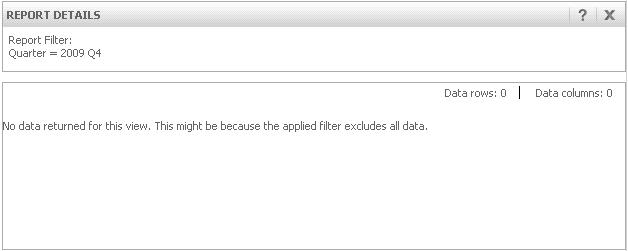
  • Run the report in Web, it receives warning message "No data returned for this view. This might be because the applied filter excludes all data.".  This is because there is no Quarter 2009 in 9.3.0 data warehouse, as shown below:
ka04W000000Oe9mQAC_0EM4400000026VG.jpeg


  • Remove the filter (Quarter = 2009 Q4) from the report and save.
  • Close the report and reopen it, the filter (Quarter = 2009 Q4) still in the report.

 
CAUSE:
This is a known issue with Strategy Web 9.3.1.
 
ACTION:
Strategy will continue to investigate and post updates as soon as they are available.


Comment

0 comments

Details

Knowledge Article

Published:

June 13, 2017

Last Updated:

June 13, 2017