SYMPTOM:
According to the User Merge Wizards automatic method, the merge candidates are users such as DSSADMIN, DSSADMIN1, DSSADMIN2, etc.
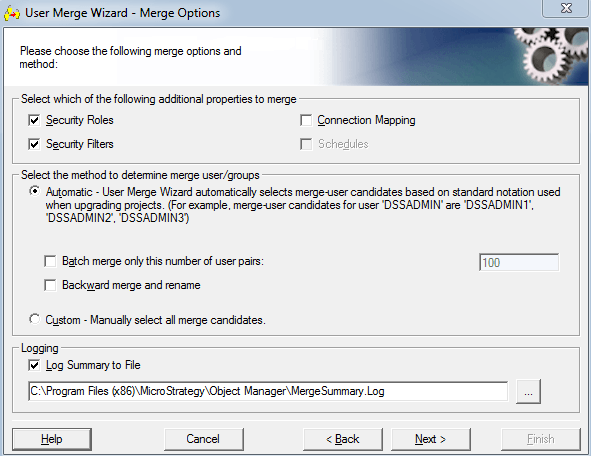
However, users notice that user logins that meet this criteria are not selected to be merged.

CAUSE:
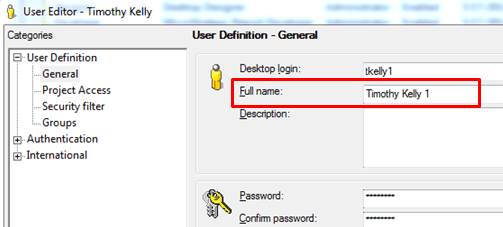
This is working as designed as the User Merge Wizard bases the merge candidates strictly off of the users Full Name and not the Desktop Login. In the screenshot above, tkelly and tkelly1 are the Desktop Login, so the fact that they appear to be duplicates is irrelevant to the User Merge Wizard. The Full Name field for these two users are Timothy Kelly and Timothy Kelly 1 which do not meet the merge criteria.
ACTION:
Ensure that the users Full Name field meets the User Manager's automatic method criteria. The criteria for them to be merged automatically are that the Full Name be identical, identical with a number appended on the end, or identical with a parenthesis number appended on the end.
NOTE: It is not case sensitive. Any spaces or non-numeric characters (i.e. underscore) after the full name, void it of meeting the criteria
Below are some examples of users that will be merged due to their Full Name fields meeting the correct criteria.
Timothy Kelly, Timothy Kelly1, Timothy Kelly(2), TIMOTHY KELLY(37), timothy kelly6.
