SYMPTOM:
The following informative message appears when accessing the Strategy Web Administrator page in Strategy Web Universal 9.3.1 in JBoss Enterprise Application Platform 6.0.1 running on Red Hat Enterprise Linux 6.4:

Sample Code/Error
Authentication Required
A username and password are being requested by http://xxxxxx:8080. The site says:
"Administrator Authentication Area'
CAUSE:
Only the JBoss users previously added to the ApplicationRealm Realm can access the Strategy Web Administrator page.
ACTION:
The JBoss user that will be used to access the Strategy Web Administrator page needs to be added to the ApplicationRealm Realm by using the ./add-user.sh command, located in /EAP-6.0.1/jboss-eap-6.0/bin with the roles admin and JbossAdmin.
Step by step configuration:
1. Run the command add-user.sh located in /EAP-6.0.1/jboss-eap-6.0/bin:
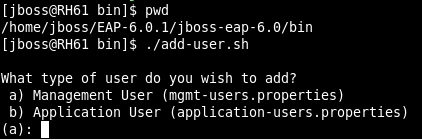
2. Select option b to add a new application user:

3. Specify the Realm name to be used or leave it in blank to use the ApplicationRealm Realm:

4. Enter the Username and Password for the new user:

5. For roles, enter with admin and JbossAdmin:

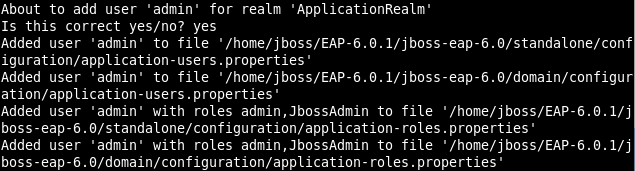
6. Enter yes to confirm the user to be added:

7. The admin user was correctly added to the JBoss ApplicationRealm:
NOTE:
For additional information on Realm configuration, refer to the JBoss on-line documentation available at:
