In some business scenarios, it is required to filter metric values according to user login while other metrics keep available to all users. For example, values of metric are available to all users, but User1 and User2 can only see one of the Regions, as shown below:
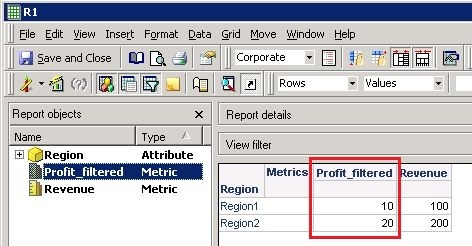
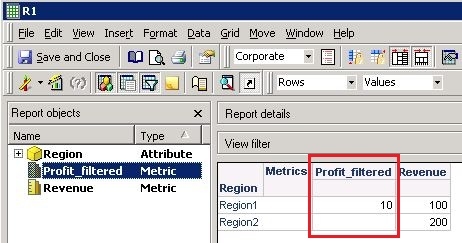
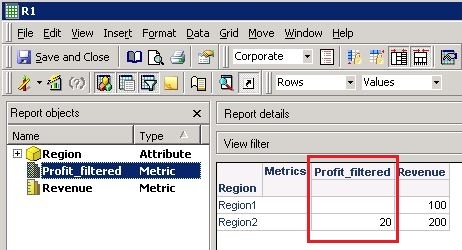
Follow the steps below to achieve the requirement:
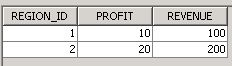
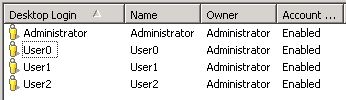
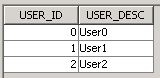
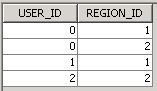
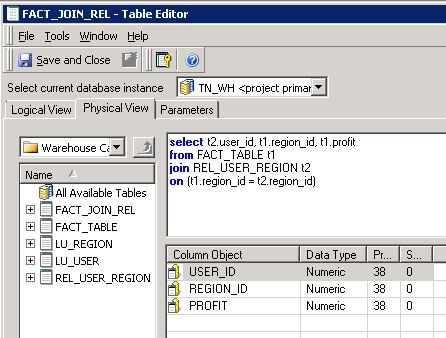
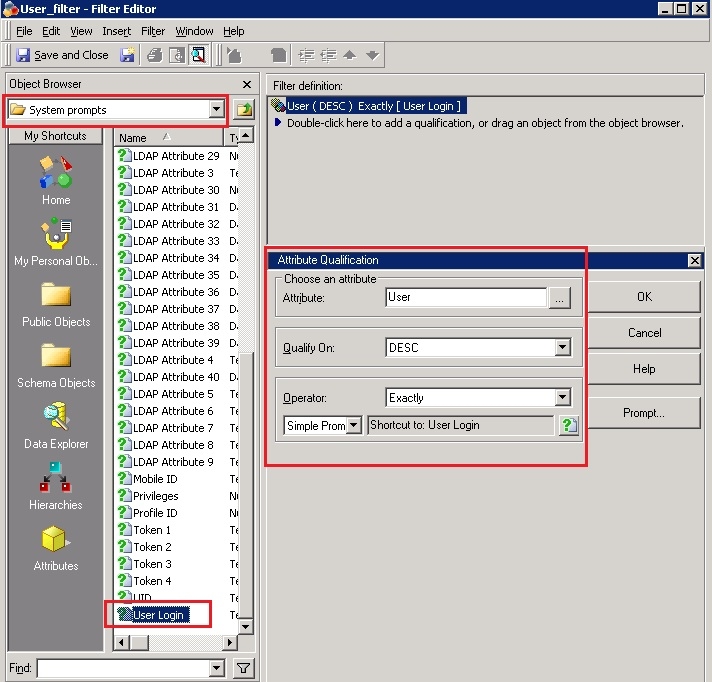
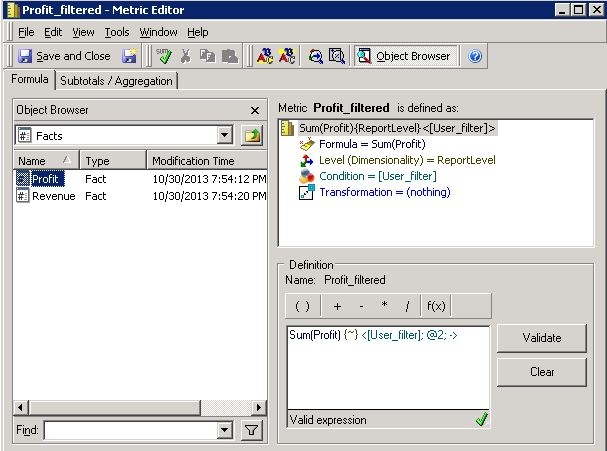
Login as different users, and the results are as expected.
NOTE 1:
In order to display null values in the report, Outer Joins for attributes and metrics need to be enabled. Refer to following technical notes to enable outer joins:
KB3838: How to use an outer join to retrieve data when a metric on the report has a condition that is mutually exclusive with the report filter in Strategy 9.x
KB10969: How to set the default metric Join Type to Outer Join in Strategy 9.x?
KB3904: How to perform an outer join against a lookup table in Strategy 9.x
NOTE 2:
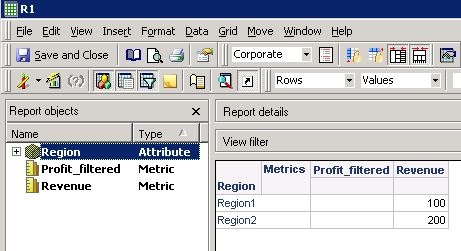
As user Administrator is not in the relationship table, report will not display any value for metric when Administrator is logged in, as shown below:
414384
