There is a known limitation within Strategy Web 9.3.1 for the Data Import Database feature in which tables may not load for a specific user even if they have a database login mapped for them within Strategy Desktop. The limitation occurs because connection mapping is not handled within the Data Import Database, and as a result, the default database login set to the database instance is used to log into the database and return the tables.
This issue is demonstrated and described below using SQL Server 2008 R2, and two different database logins -- one has full administrative privileges in the database (shown as Login1), and the other does not have access to view or query tables (shown as Login2).
1. Administrator user's connection mapping is set to use the database login Login1 in Strategy Desktop, which has full administrative privileges in the database. Other users within the project have a connection mapping set to Login2, which has restricted privileges.
2. The database instance object is set to use database login Login1 by its definition within Strategy Desktop.
3. Administrator user logs into Strategy Web, and selects Data Import Database.

4. Administrator user selects the database instance and the tables show up as expected.

5. The database login is verified by editing the database instance from Data Import Database to ensure the proper login was used.
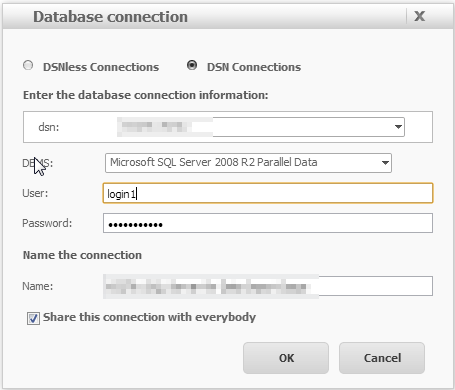
6. Change the database login from Login1 to Login2 by typing in the proper credentials, and hit OK.

7. Since this is the Administrator user, and connection mapping has been set for this user in Strategy Desktop so that for this specific database instance that Login1 is used, then the desired behavior is to have connection mapping know that Login1 should be used for Administrator regardless of what is set in the database instance.
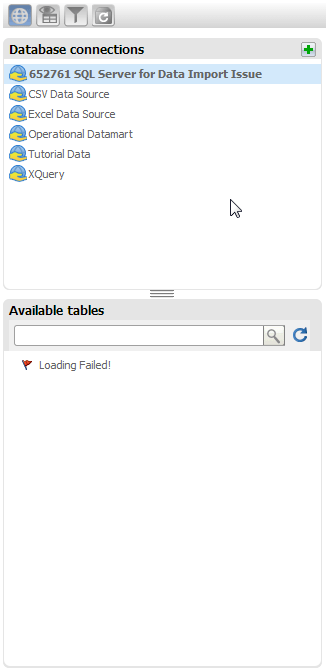
8. Observe that an error shows that the Administrator user does not have proper privileges to have access to the tables.
9. Additionally, a database specific error message may appear in the query area of Data Import Database this instance.
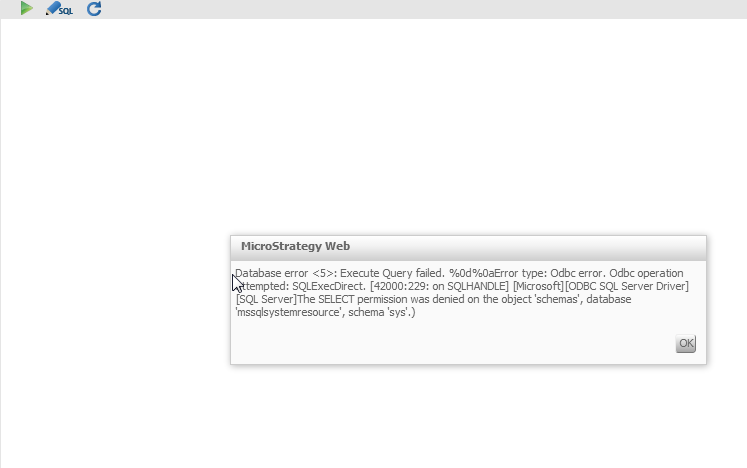
Sample Code/Error
The SELECT permission was denied on the object 'schemas', database 'mssqlsystemresource', schema 'sys'.
This is a known limitation of the Data Import Database feature in Strategy Web 9.3.1, where connection mapping settings do not appear to be used when selecting database instances within this feature. Instead, it appears that whatever the logins are set as during creation, or the specific login selected within the database instance's definition will be used to log into the database.
ACTION:
This issue has been addressed in Strategy version 9.4
