To create a new system Data Source Name (DSN) to use in a new database connection in Strategy Analytics Desktop 9.4.1.1 and above, users need to use the Windows ODBC Data Source Administrator available here:
- 64 bit Windows: C:\\Windows\SysWoW64\odbcad32.exe
- 32 bit Windows: C:\\Windows\System32\odbcad32.exe
On the ODBC Data Source Administrator, please go to the "System" tab to create the DSN and refresh this page to see the changes.
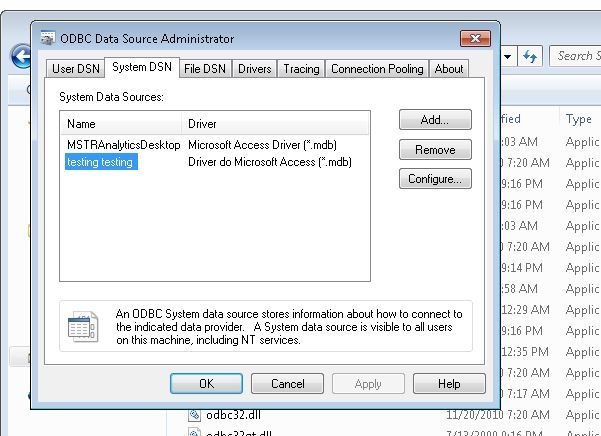
Once the DSN is created, please go to Strategy Analytics Desktop and follow the steps outlined below:
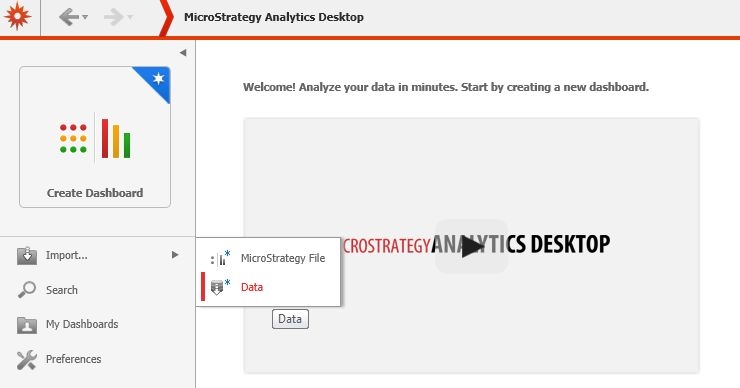
- Click Import > Data
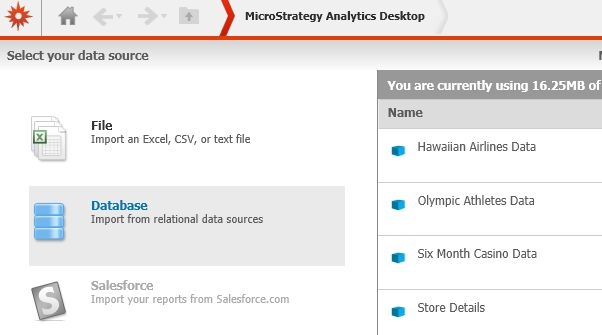
- Database
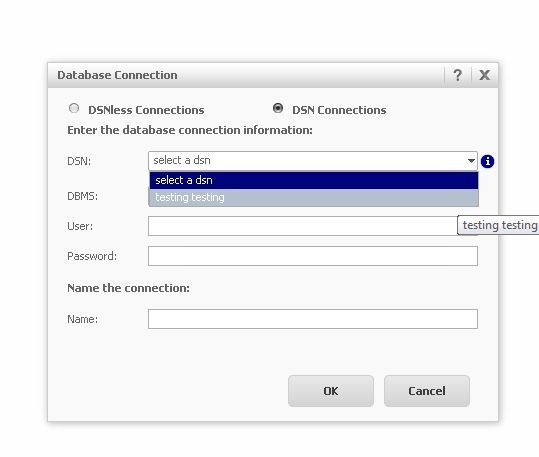
- New connection:
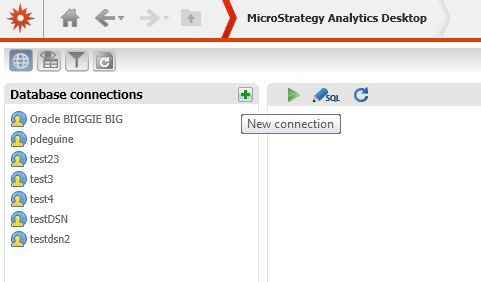
- under DSN Connections, choose the DSN created earlier:
Third Party Software Installation WARNING
The third-party product(s) discussed in this technical note is manufactured by vendors independent of Strategy. Strategy makes no warranty, express, implied or otherwise, regarding this product, including its performance or reliability.
