SYMPTOM
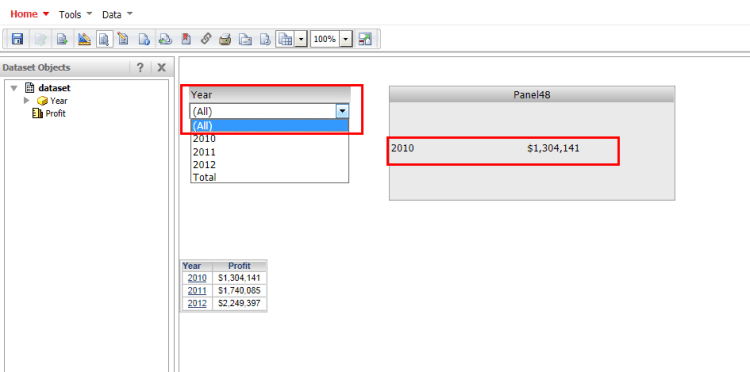
When choosing `All` in a selector that targets a panel with a dynamic text field, the attribute element and metric value that is being displayed does not show aggregated metric value for all elements but only the first attribute element in the dataset.
STEPS TO REPRODUCE
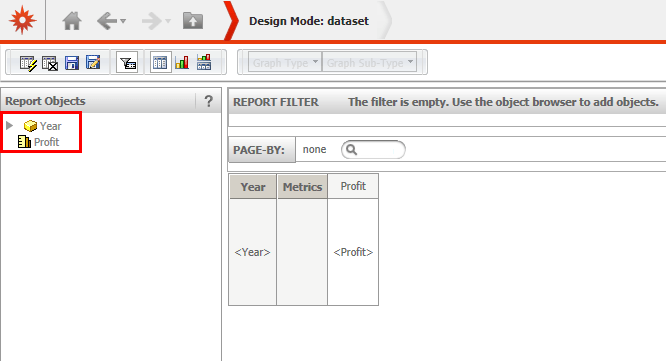
1. In Strategy Tutorial, create a new report with attribute Year and metric Profit.
2. Create a document and use the report created in step 1 as dataset. Add a panel stack and drop down selector to the detail header section.
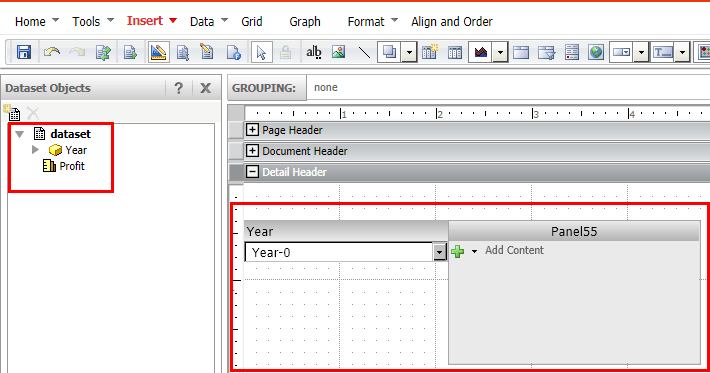
3. Configure the selector to use attribute "year" and to target the panel stack created in step 2. Enable the checkbox "Show option for All".
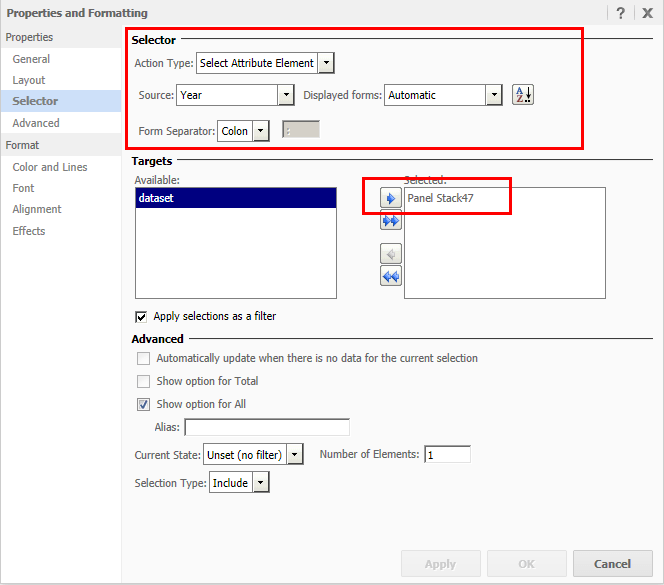
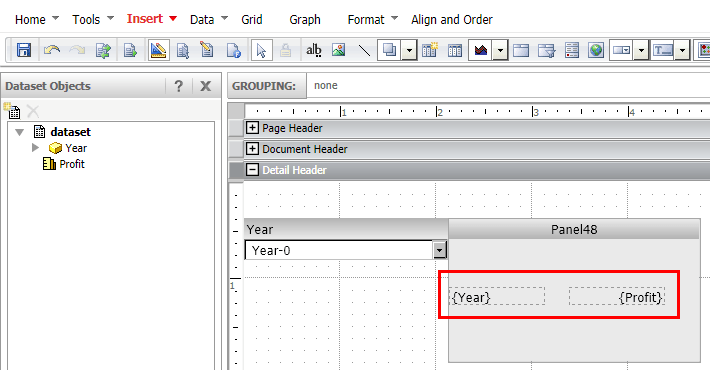
4. Insert two dynamic text fields into the panel of the panel stack as seen on the screenshot below.
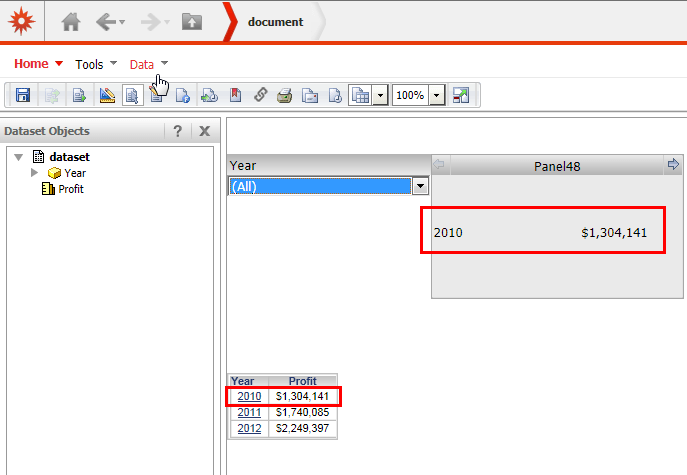
5. Run the document and select "All" option in the selector. Note that the first attribute element is rendered in the corresponding dynamic text field. The metric value is aggregated for the first attribute element only.
CAUSE
This behaviour is working by design. The all option does not filter any elements and returns all elements available in the dataset. By design, unfiltered dynamic text fields return the first available attribute element in the dataset.
ACTION
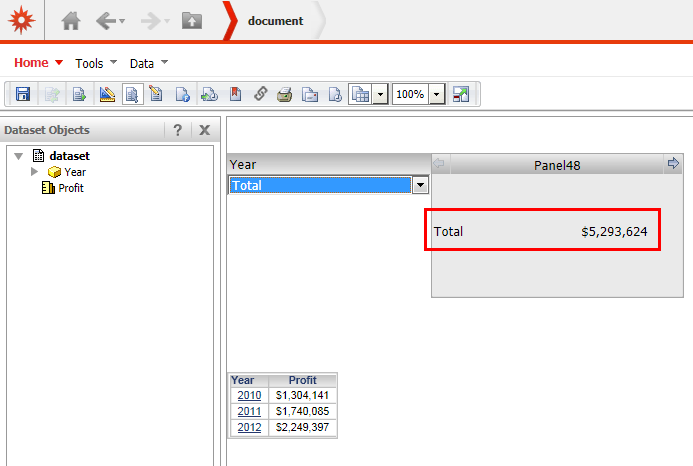
In order to display the total value for attribute Year, it is required to use a slice selector instead of a filter selector. That way, it is possible to enable the display of the total, aggregated value of all attribute elements in the dynamic text field.
For an introduction to the difference between a filter and slice selector, refer to technical note KB33825: What is the difference between a slicing and filtering selector and how do they relate to Report Services Document performance in MicroStrategy Web 9.x?
In the selector properties disable the checkbox "Apply selections as a filter" and enable the option "Show option for Total".
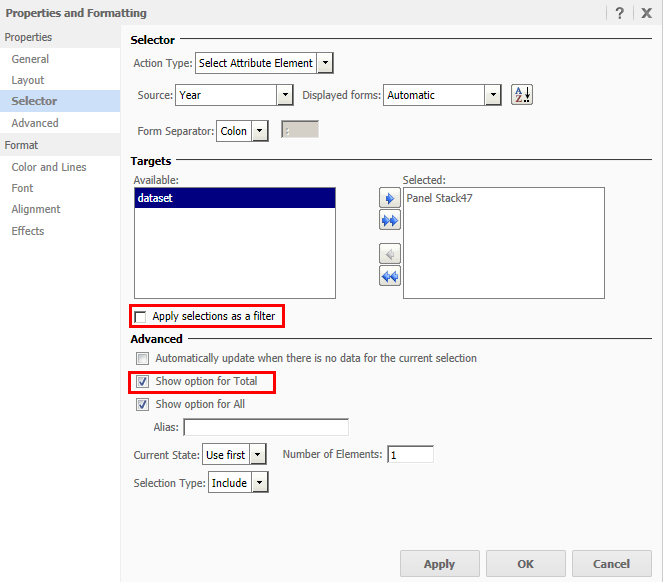
Execute the document and select "Total in the selector. Note that the dynamic text box now displays the total value instead of the first element in the dataset.