SYMPTOM:
User might notice that Slicing Selector behaves different when it targets a panel stack that contains multiple grids to when it targets individual grids and Slicing Selector has ‘Automatically update when there is no data for current selection’ property is checked or when it is in unset state.
Steps to reproduce :
Step 1: Create a report with attribute Region and metric Profit.
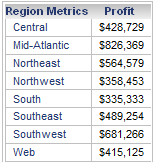
Step 2: Create a document with the above report as a dataset.
Step 3: Add Grid 1 with Region and profit.
Step 4: Add Grid 2 with Region and profit. Add a view filter Region = South and Southeast as shown below :
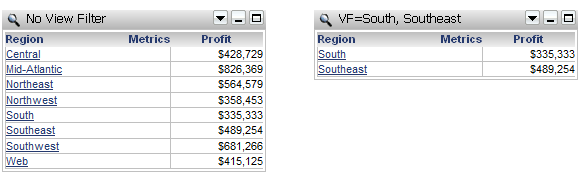
Step 5 : Add Slicing selector targeting both grids. Check " Automatically update when there is no data for current selection " property. When no selection has been made to selector , this is called unset state and notice that selector is set to the source of selector which is Region.
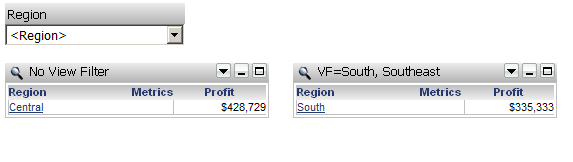
Step 6 : If user makes selection such as Northeast , you will notice selector will have blank selection and one grid has Northeast and the other has South. This is the effect of " Automatically update when there is no data for current selection " property. It will automatically pick the first available elements in grid 2 which is South.
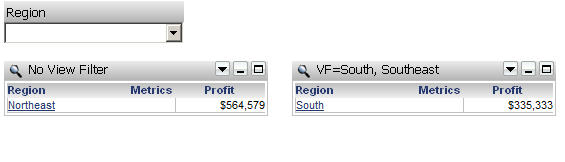
Step 7 : Compare it with the slicing selector targeting a panel stack. Using the same dataset , create document B .
Step 8: Add a panel stack.
Step 9 : Add Grid 3 and Grid 4 just like in Step 3 and 4 inside the panel stack .
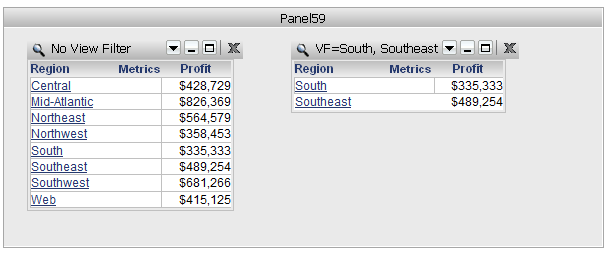
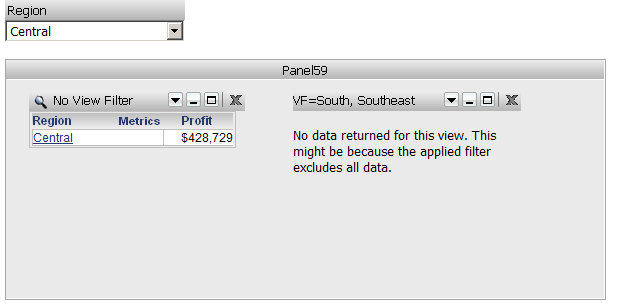
Step 10: Add Slicing selector targeting the panel stack. Check " Automatically update when there is no data for current selection " property. Notice when selector is unset state , the selector is set to Central and Grid 3 display Central Data and grid 4 have no data returned.
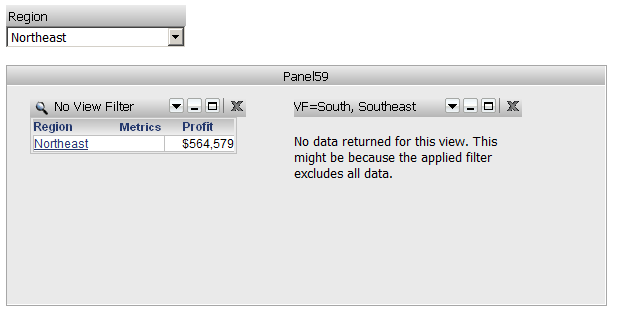
Step 11: If user makes selection such as Northeast, then user will notice selector will display Northeast and grid 3 has Northeast and grid 4 has no data returned.
CAUSE:
Behavior difference in step 5 and 6 with step10 and 11 are expected. Though from GUI perspective, there is only one selector targets a sets of targets however from the back end perspective, the data modeling is different. When a Slicing Selector targets a single panel that contains multiple grids, the data modeling contains one Slicing Selector node that targets one section node. The element list of the slicing selector is a merged list from both grids inside the panel stack. In that case the Slicing Selector will pick the first one element from the merged list.
In the case of Slicing Selector targets a multiple grids, the data modeling still contains one Slicing Selector node however it targets multiple section nodes. Each section nodes will pick first element for each grid since selector node can only hold one value. In this case there are multiple section nodes of the same object therefore this conflict causes a selector to have blank selection as it doesn’t know which element to be displayed.
