SUMMARY
This issue has been classified as a defect by Strategy. The impact is limited to Strategy Web 9.x product only with reports executing in Express view mode with conditional formatting (Hide Image) controlled by selector. A workaround is available in the current document. A solution/code fix for this issue is not available in current releases but is being reviewed for a future Strategy release as of the writing of this email.
SYMPTOM
The conditional formatting to hide images in Report Services Documents (RSD) is not working properly when the documents are executed in Express view mode in Strategy Web 9.x: either the image does not get hidden or it is not displayed when a condition is satisfied.
STEPS TO REPRODUCE
1. In Web, create a simple report with the Year attribute;
2. Create a document and make the newly created report as its dataset;
3. Insert a panel stack in the document; on the panel stack, insert a image.
4. Out of this panel stack, insert a drop-down selector based on the Year attribute, targeting that panel stack. The document will look like the image below:
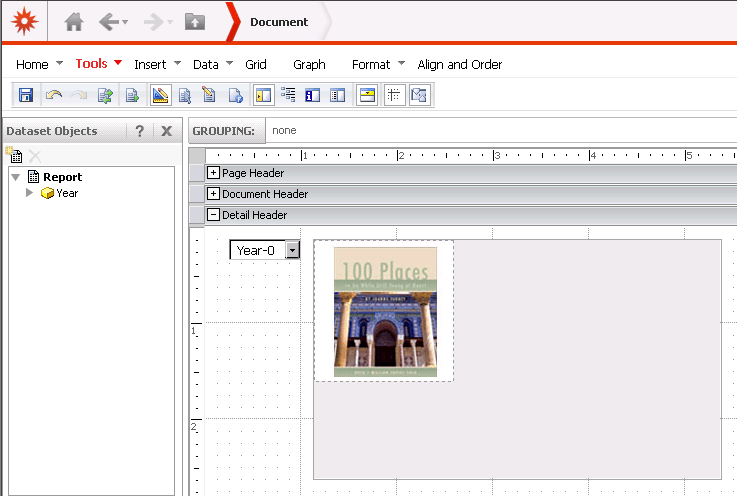
5. Right-click the image and browse to Conditional Formatting > Advanced;
6. Define a new threshold with the condition Year In List (2011) as shown below:
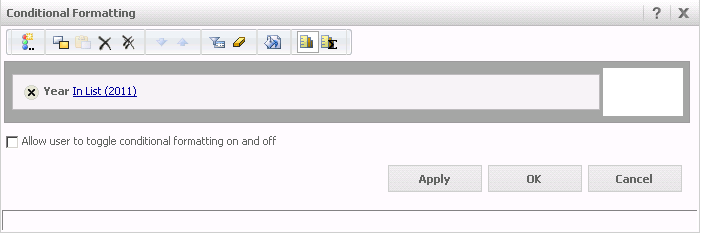
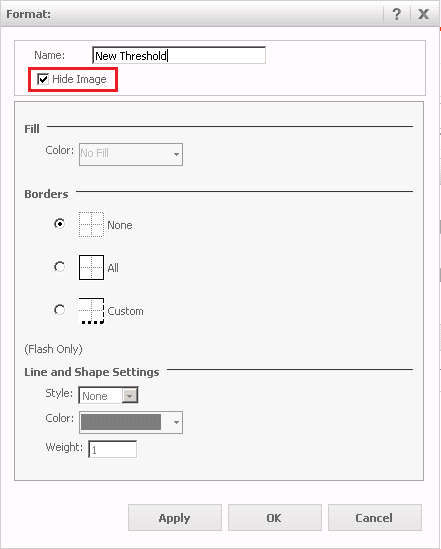
7. In the Format window, check the option Hide Image as displayed below, so the image gets hidden when the condition defined in step 6 is met:
8. Run the document either in Interactive, Editable and Flash view mode and see that the conditional formatting is correctly applied.
9. Now run the RSD in Express view mode and notice that the image does not get hidden even though the condition from step 6 is satisfied once 2011 is selected:
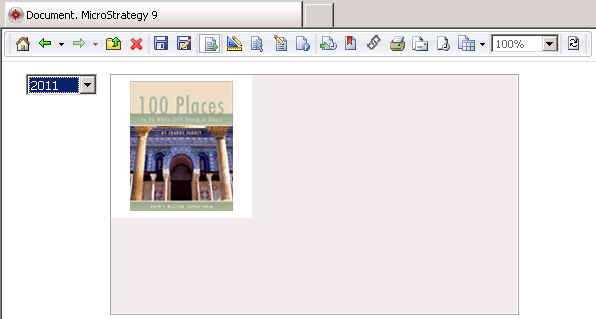
Note: if the last selection in Interactive / Editable / Flash view mode was 2011 (image hidden) then the image will not be displayed at all once you switch to Express view mode. However if the last selection in Interactive / Editable / Flash view mode was different from 2011 (image displayed) then the image will not get hidden in Express view mode when 2011 is selected in the drop-down selector.
CAUSE
This is a known issue in Strategy Web 9.2.x and 9.3.x versions for documents running in Express view mode only.
ACTION
Contact the Strategy Technical Support for an update on this issue.
WORKAROUND
As a workaround, run your documents either in Interactive, Editable or Flash view mode.
ADDITIONAL TROUBLESHOOTING
If the workaround steps above do not resolve the issue, please consider calling Strategy Technical Support with the following troubleshooting information already performed:
LEARN MORE
For related issues, refer to the following technical note:
KB38516: Conditional formatting does not work on a Text Box if placed within a panel in Strategy Web 9.2.1
