SYMPTOM:
Data does not update accordingly when a second user runs the same Visual Insight document with different system prompt answers as the first user in Strategy Web 9.x. The same data was returned for the second user (user2) even if the two users have different system prompt answers. User has to click "refresh" icon in the Visual Insight document to get correct data.
STEPS TO REPRODUCE:
1. Create system prompt 'User Login' and corresponding fact table, relation table and lookup table by following Strategy Technical Note
2. Create a Visual Insight document based on report R1 as same as in Technical Note 45111.
3. Run the document as user0 (who should see all data).
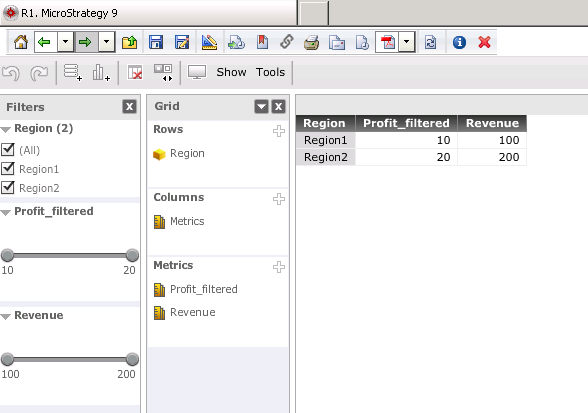
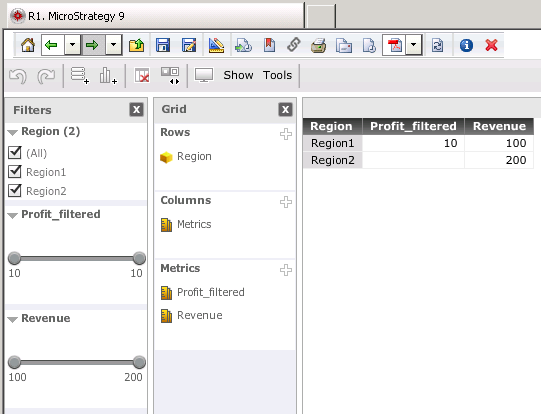
4. Log user0 out and login as user1 (who should see Profit_filtered in Region1). Now the same data is returned.
5. Refresh the document and then the correct data is returned.
CAUSE:
This is a known issue in Strategy Web 9.x
ACTION:
The issue has been fix confirmed in version 10.x. Upgrade to version 10.x in order to take advantage of the fix.
WORKAROUND:
Use security filter instead of system prompt 'User Login' if it is required to fetch only related data for specific users.
