EducationSoftwareStrategy.com
StrategyCommunity

Knowledge Base

Product

Community

Knowledge Base

TopicsBrowse ArticlesDeveloper Zone

Product

Download SoftwareProduct DocumentationSecurity Hub

Education

Tutorial VideosSolution GalleryEducation courses

Community

GuidelinesGrandmastersEvents
x_social-icon_white.svglinkedin_social-icon_white.svg
Strategy logoCommunity

© Strategy Inc. All Rights Reserved.

LegalTerms of UsePrivacy Policy
  1. Home
  2. Topics

KB45363: Grid is clipped when exporting to HTML from MicroStrategy Web 9.3.1


Community Admin

• Strategy


Grid is clipped when exporting to HTML from MicroStrategy Web 9.3.1

SYMPTOM:
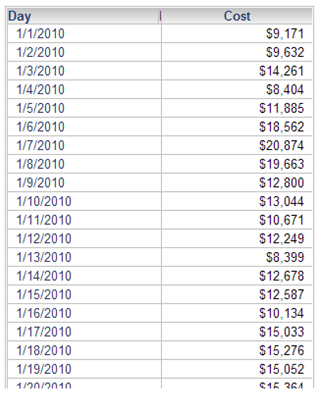
Grid is clipped when exporting to HTML from Strategy Web 9.3.1 as below:
 
STEPS TO REPRODUCE:
  1. Create a report with attribute "day" and metric "cost".
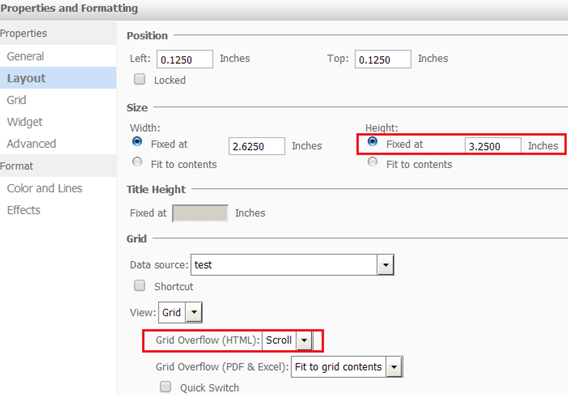
  2. Create a document based on the report. Right click the report>Properties and Formatting and go to the Layout property. The Height of the grid is "fixed" and Grid Overflow(HTML) is "scroll" as below:
ka04W000000Oea8QAC_0EM4400000029V4.png


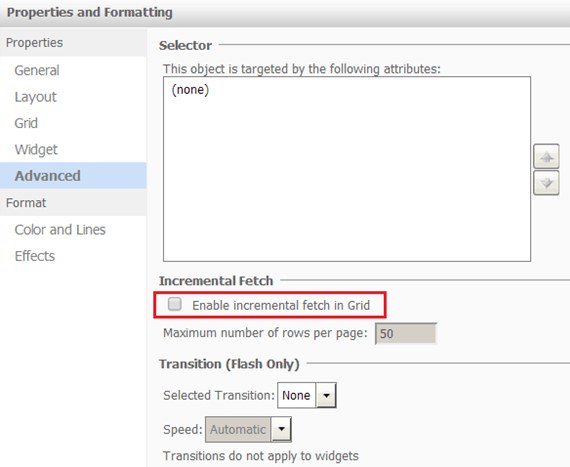
  • Go to Advanced property, and uncheck "Enable incremental fetch in Grid" as below:
ka04W000000Oea8QAC_0EM4400000029Uu.png


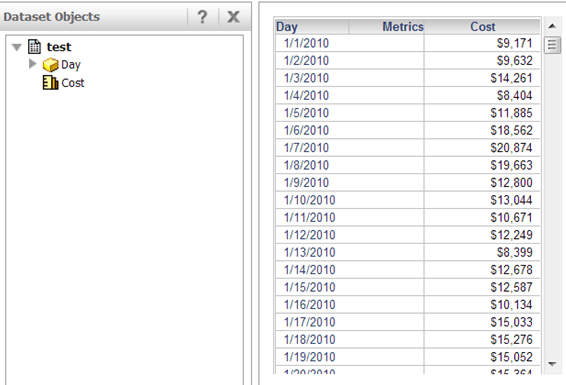
  • Run the document in Express mode and it shows as below:
ka04W000000Oea8QAC_0EM4400000029V1.png


  • Export the document to HTML from Web. The grid is clipped as below: 
ka04W000000Oea8QAC_0EM4400000029Uy.png

  
CAUSE:
One possible cause is the header of the column is locked.
 
ACTION:
Uncheck the button of "Lock Column Headers" as below:
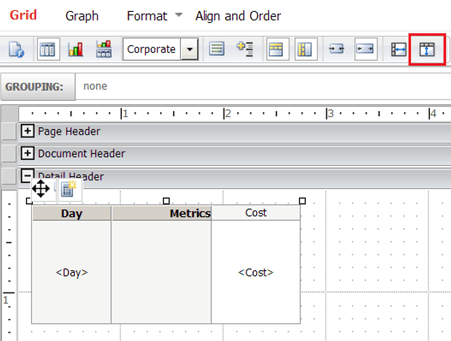
 

ka04W000000Oea8QAC_0EM4400000029V0.png

 
The scroll bar in the exported HTML is available to show all the records as below:
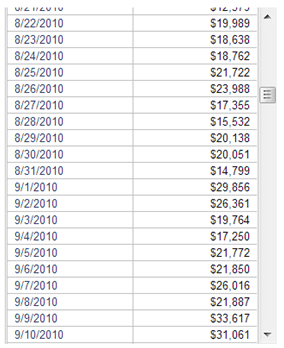
 

ka04W000000Oea8QAC_0EM4400000029V3.png


Comment

0 comments

Details

Knowledge Article

Published:

June 9, 2017

Last Updated:

June 9, 2017