EducationSoftwareStrategy.com
StrategyCommunity

Knowledge Base

Product

Community

Knowledge Base

TopicsBrowse ArticlesDeveloper Zone

Product

Download SoftwareProduct DocumentationSecurity Hub

Education

Tutorial VideosSolution GalleryEducation courses

Community

GuidelinesGrandmastersEvents
x_social-icon_white.svglinkedin_social-icon_white.svg
Strategy logoCommunity

© Strategy Inc. All Rights Reserved.

LegalTerms of UsePrivacy Policy
  1. Home
  2. Topics

KB45371: "Dashboard Startup Error #1009" is seen when executing a dashboard in Flash view mode if a static text has a Conditional Formatting based on the Selected Text Field Threshold option in MicroStrategy Web 9.4.x


Community Admin

• Strategy


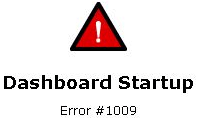
When executing a dashboard in Flash view mode in MicroStrategy Web 9.4.x, the error message below appears if a static text has a Conditional Formatting based on the Selected Text Field Threshold option

SYMPTOM:
When executing a dashboard in Flash view mode in Strategy Web 9.4.x, the error message below appears if a static text has a Conditional Formatting based on the Selected Text Field Threshold option:
ka04W000000OccCQAS_0EM4400000026RW.png


Dashboard Startup        

        Error #1009        
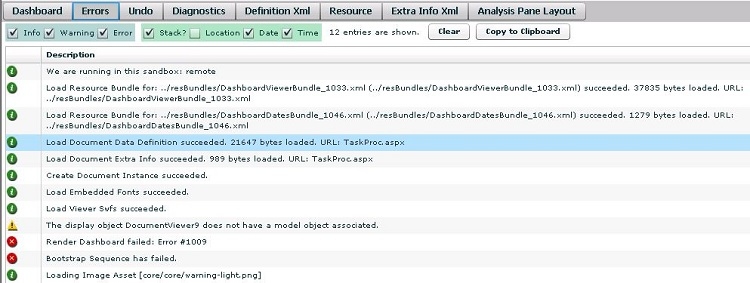
 In the Flash Debugger mode, additional information on this issue is seen:

ka04W000000OccCQAS_0EM4400000026Rj.jpeg


The display Object xxxxx does not have a model object associated.
Render Dashboard failed: Error #1009
Bootstrap Sequence has failed
CAUSE:
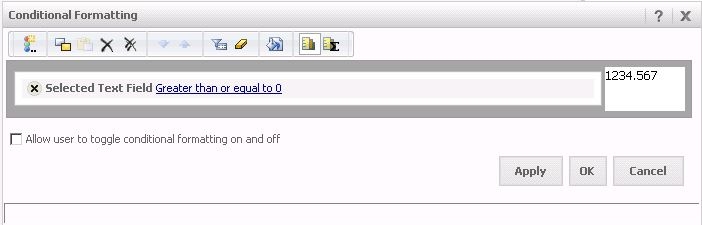
Conditional formatting is designed to work on dynamic texts. In this case, the static text has a Conditional Formatting based on the Selected Text Field threshold option, as shown below:

ka04W000000OccCQAS_0EM4400000026RY.jpeg

ACTION:
One of the following actions can be taken to avoid this issue:
1 - Remove the Conditional Formatting.
2 - Use specific objects in the conditional formatting (e.g. Metric), instead of a static text to achieve the desired effect. 
3 - Modify or add a Dynamic Text to reflect the Conditional Formatting.
 
 The Strategy Internal Reference Number for the issue discussed in this technical note is 850467.


Comment

0 comments

Details

Knowledge Article

Published:

April 27, 2017

Last Updated:

April 27, 2017