SYMPTOM:
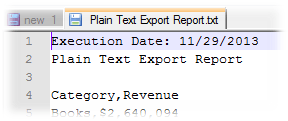
Let's suppose that a report is exported to Plain Text format with a autotext of date (in this example, {@ExecutionDate} is used) in the header. This autotext field is exported with the MM/DD/YYYY format; however, the desired date format is YYYY-MM-DD:
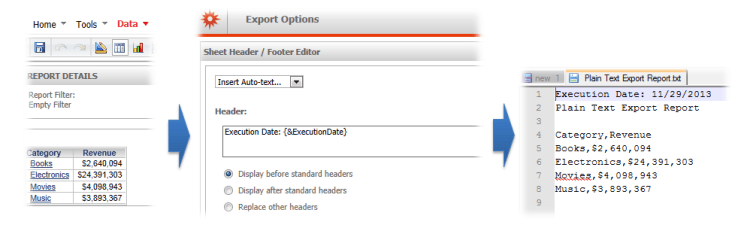
STEPS TO REPRODUCE:
1. In Strategy Web, export a report selecting the Plaint Text format:
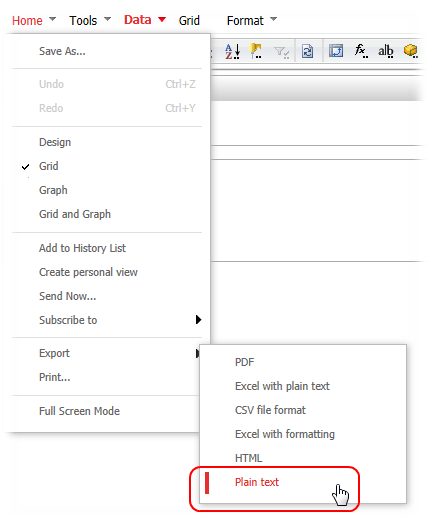
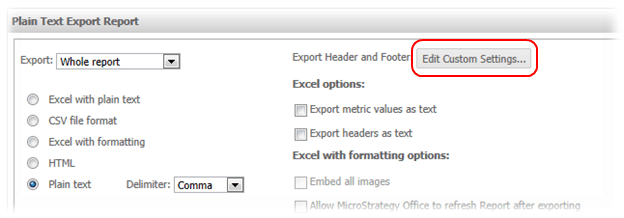
2. Click on Edit Customer Settings…:
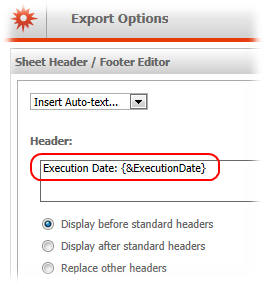
3. Insert the autotext of date into the Header section and then click on the Apply button:
4. Click on the Export button and open the exported file in a text editor to confirm that the Execution Date value format is MM/DD/YYYY:
CAUSE:
Strategy uses the Short date format configured in the Windows Server 2008 64-bit instance that hosts the Strategy Intelligence Server.
ACTION:
To change the date format for the autotext fields, follow these instructions:
1. Go to Start Menu -> Control Panel >> Regional and Language Options:
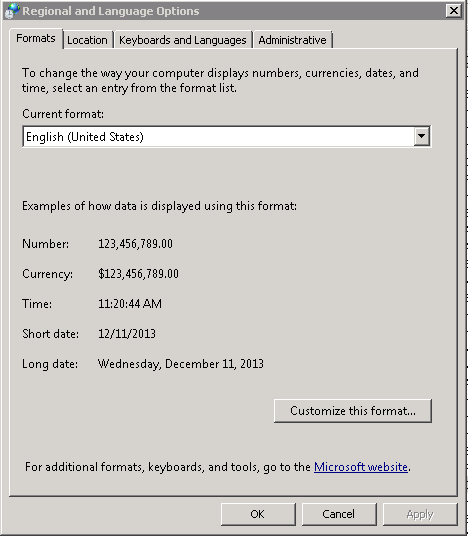
2. Click on Customize this format...:
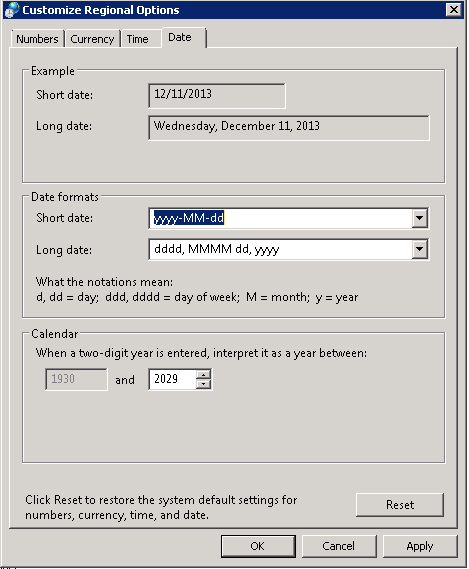
3. Select the desired Short date format and then click on OK:
4. Restart the Strategy Intelligence Server services
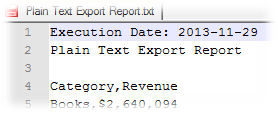
5. Finally, go back to Strategy Web and export the referred report to confirm that the short date format is YYYY-MM-DD:
NOTE:
For additional information on how to change the date format in Windows 7, refer to the Strategy technical note:
