SUMMARY
This technical note describes an issue with the Information Window feature on the Image Layout Widget in Strategy Web 9.4.1. The note exemplifies how to reproduce the issue, explains under which circumstances it will manifest and how to avoid it. The issue has been already identified and reproduced by Strategy Technology who is working on an Enhancement Request for this matter
SYMPTOM
If an Information Window is created and targeted by one of the widgets listed in KB43950: List of widgets which can display information window starting from MicroStrategy Web 9.3.1. (e.g. Heat Map, Data Cloud, Image Layout, etc.) it will not be displayed in Express or Interactive mode but only in Flash mode in Strategy Web.
Flash Mode Information Window in Strategy Web:
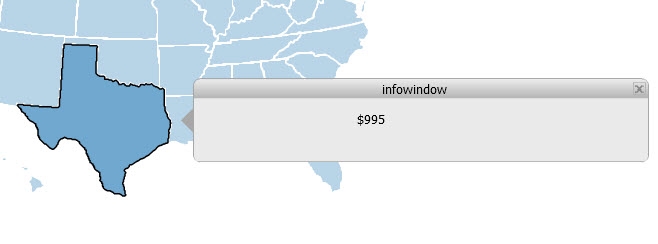
Express/Interactive Mode Information Window in Strategy Web:

STEPS TO REPRODUCE
1) Create a Report Services Document with an Image Layout Widget (or any from KB43950)
2) Target a Panel Stack to be used as Information Window
3) Execute the Report Services Document in Strategy Web Flash Mode. Notice how the Information Window works fine.
4) Change the view mode to Express or Interactive Mode, the Information Window will not work anymore
CAUSE
This is a known issue in Strategy Web 9.4.1.
ACTION
This issue has been addressed in the DHTML Widget which now supports an information window selector on Strategy Web 10.4. Upgrade to take advantage of the fix.
WORKAROUN
If the Information Window is required users can use Flash Mode to display it. Alternatively developers could use links to other Report Services Documents or panels to simulate the Information Window functionality in Express and Interactive Modes.
TO LEARN MORE
Related technical notes:
