The Strategy Analytics Enterprise 9.4.1 and newer releases include a new feature - the ability to add multiple objects from different datasets in a document to a single grid, graph or widget in that document. This feature is documented in KB44944 "Multiple datasets in a single grid/graph/widget object in Strategy Web 9.4."
To support these changes there have been changes to the Analytical Engine in the Intelligence Server. This document attempts to describe the impact of these changes to the View Filter and Element browsing functionality below:
1. Changes to View Filter functionality:
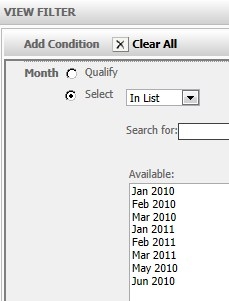
When a user adds a View Filter to a grid in a document in Strategy Web Analytics Enterprise 9.4.x, all the attributes and metrics in all datasets for the document can be set as "Filter On" criteria. In earlier versions of Strategy, only the attributes and metrics that in the grid source dataset in the document can be set as "Filter On" criteria.
In the image below, the view filter definition interface is shown - only the template units from grid "R1" are available when defining the View Filter on the grid for R1.
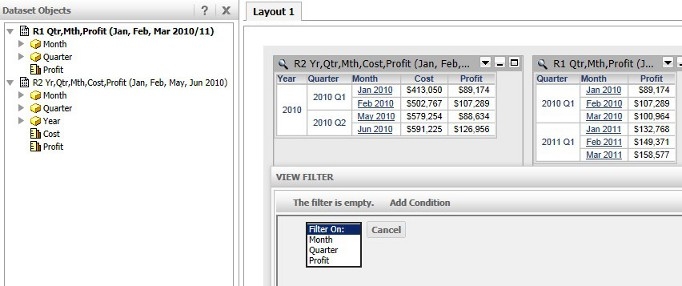
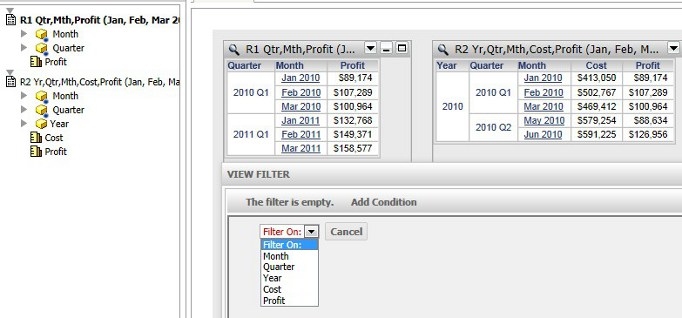
The corresponding elements for browsing the grids in the view filter in Strategy Analytics Enterprise 9.4.1 are shown below. As seen, users may define the View Filter on any attribute or metric no matter which grid is used.
2. Changes to Element Browsing:
For the element browsing discussion, a new Analytical Engine VLDB setting is relevant. This setting is called "Document Grids from Multiple Datasets" and is set in the Project Configuration -> Advanced -> Analytical Engine VLDB settings section. The possible values of this setting are "Allow objects in document grids to come from multiple datasets .." and "Objects in document grids must come from the grid's source dataset only" (i.e. restrict behavior to be similar to 9.3.x and earlier releases).