Follow the below steps to configure Multimedia widget for Strategy Mobile 9.x.
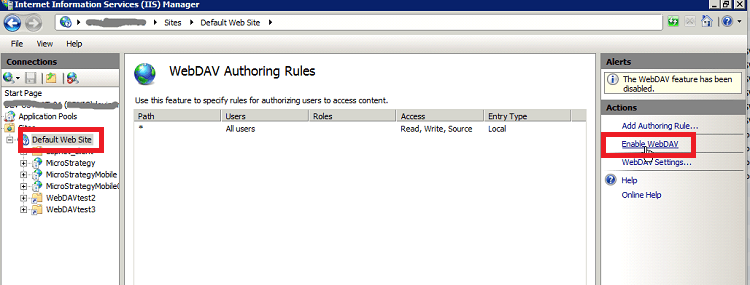
1. Set up WebDAV
IIS 6: Refer to: KB39315: How to install WebDav in IIS 6?
IIS 7 or newer: http://www.iis.net/ConfigReference/system.webServer/webdav
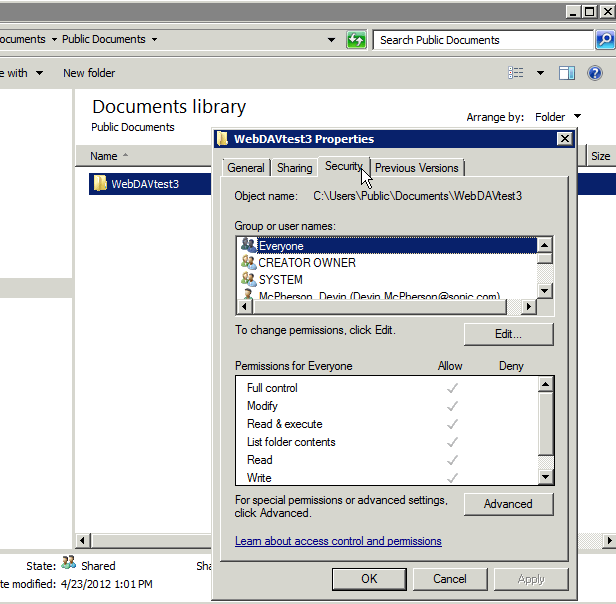
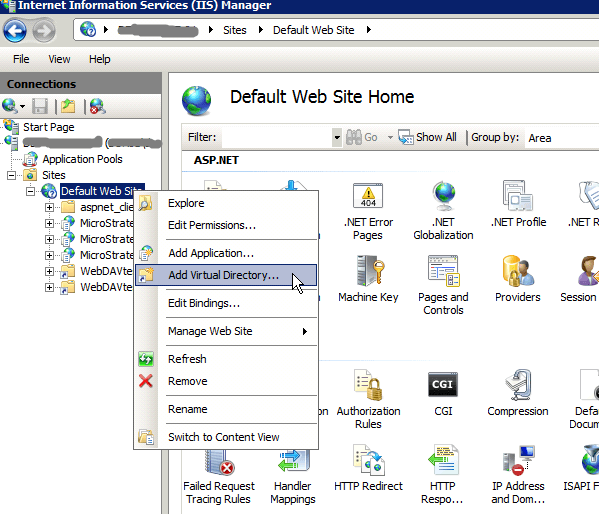
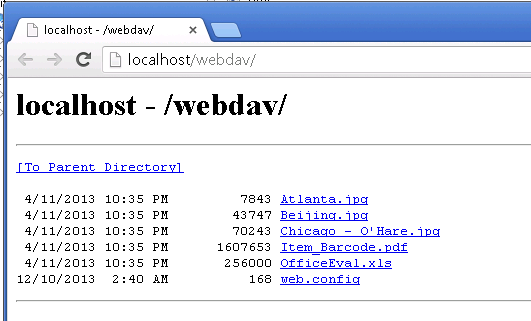
2. Set up WebDAV directory
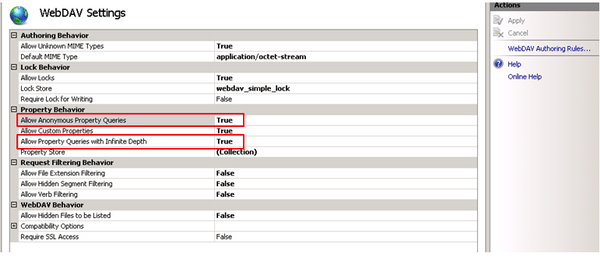
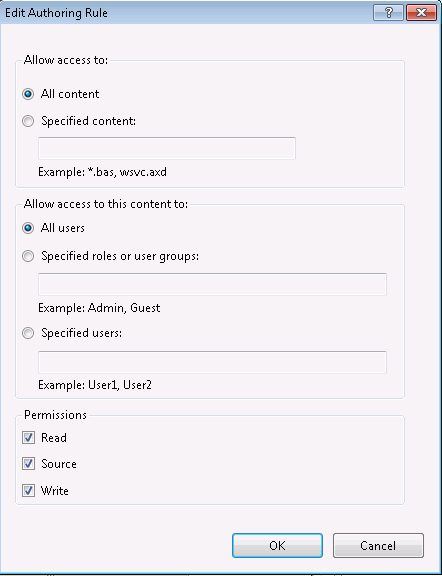
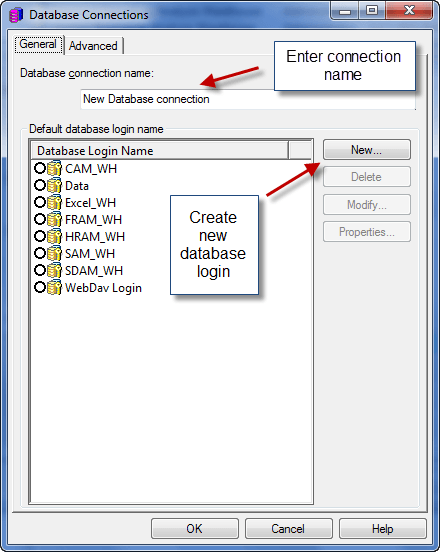
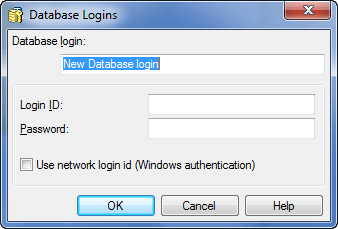
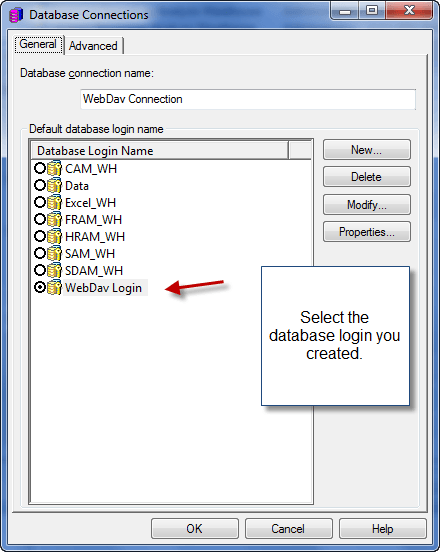
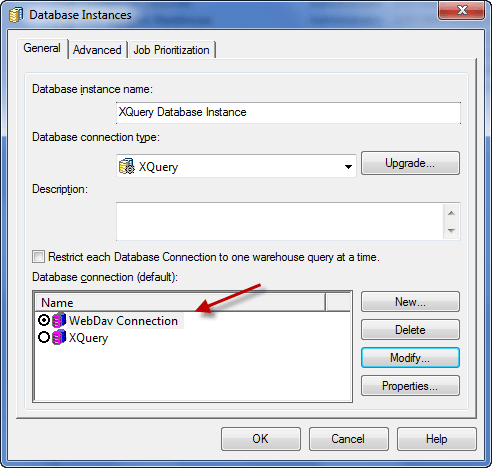
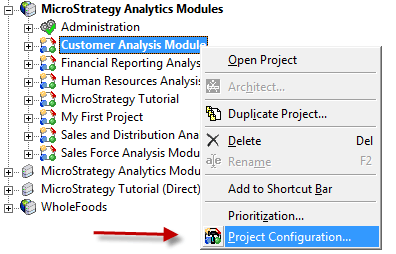
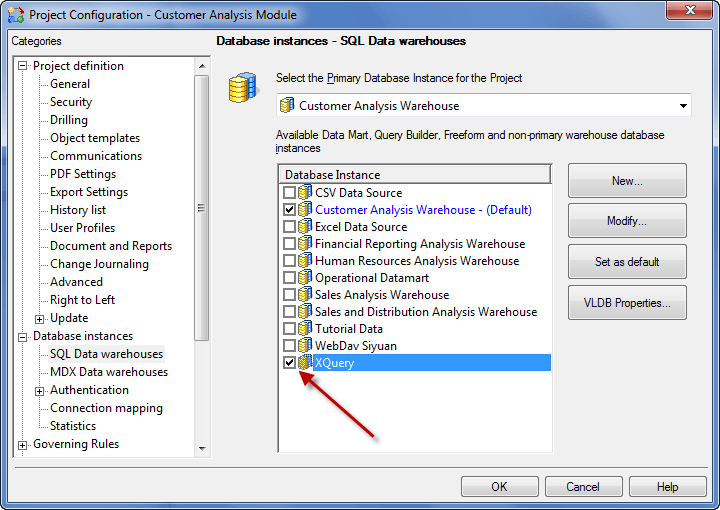
3. Configure an XQuery database instance to retrieve web folder contents
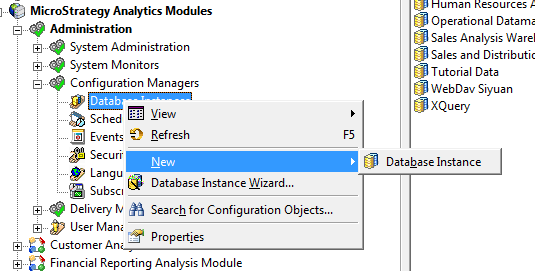
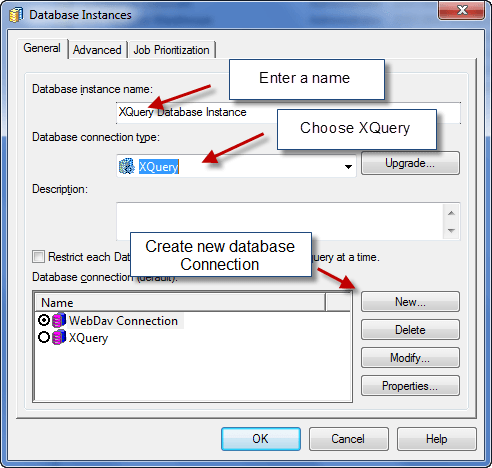
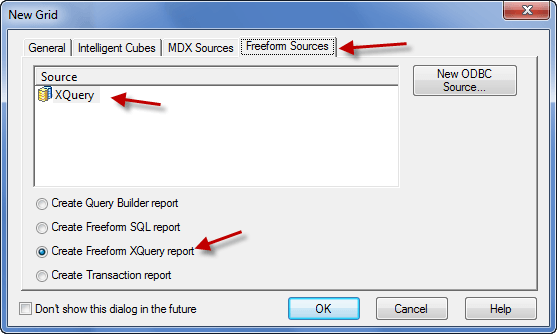
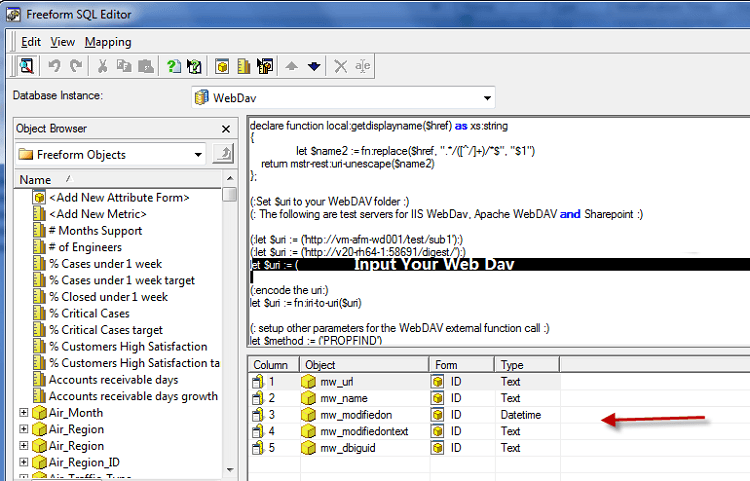
4. Create an XQuery Freeform SQL Report
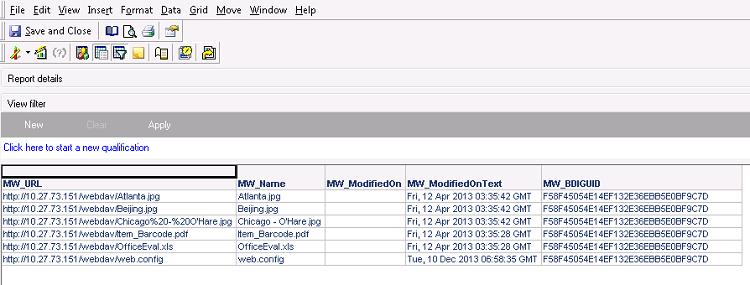
5. Create a document with the Multimedia Widget
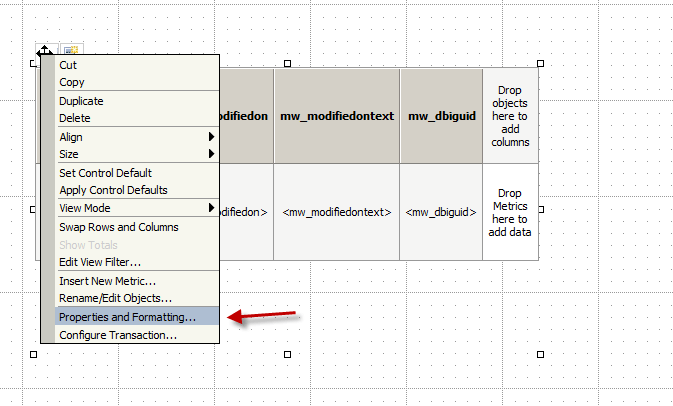
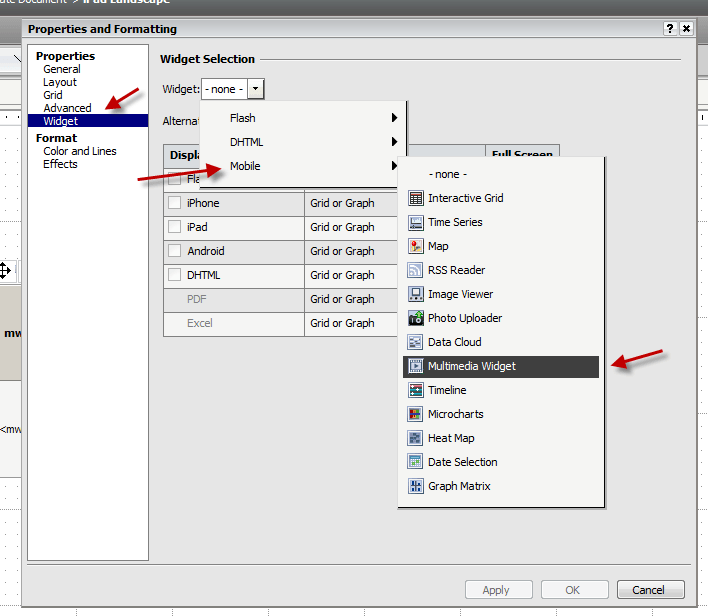
6. Additional formatting to your Multimedia Widget.
KB44673: How to remove file extensions from files displayed through the Multimedia Widget in MicroStrategy Mobile 9.3.x?
KB42454: How to replace the default icons in the Multimedia Widget with a custom thumbnail image in MicroStrategy Mobile iOS 9.3
