EducationSoftwareStrategy.com
StrategyCommunity

Knowledge Base

Product

Community

Knowledge Base

TopicsBrowse ArticlesDeveloper Zone

Product

Download SoftwareProduct DocumentationSecurity Hub

Education

Tutorial VideosSolution GalleryEducation courses

Community

GuidelinesGrandmastersEvents
x_social-icon_white.svglinkedin_social-icon_white.svg
Strategy logoCommunity

© Strategy Inc. All Rights Reserved.

LegalTerms of UsePrivacy Policy
  1. Home
  2. Topics

KB45548: A table prefix is added to a datamart, bypassing the default datamart prefix setting in MicroStrategy 9.x-10.x


Stefan Zepeda

Salesforce Solutions Architect • Strategy


SYMPTOM:
 
Users can add a prefix to temporary tables created in the Strategy generated SQL through the VLDB Settings.  Datamart tables contain their own setting for specialized prefixes to be inserted into the SQL.  If a user has configured datamart tables for the report but does not specify a prefix, or does not want a prefix for the datamart, the Strategy SQL will use the table prefix designated in the VLDB settings for the datamart tables as well.
 
STEPS TO REPRODUCE:
 
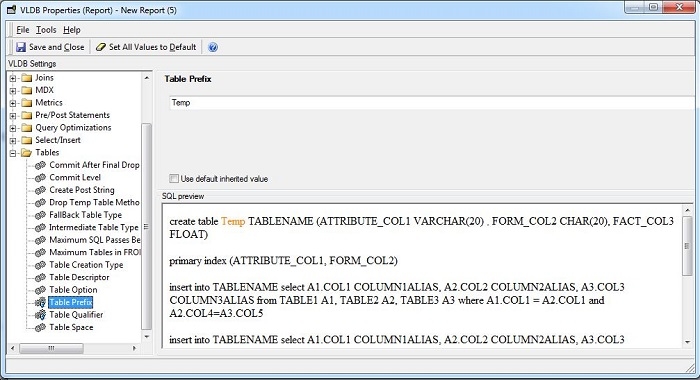
1. Designate a table prefix through the VLDB settings.
 

ka02R000000kVqSQAU_0EM440000002CYk.jpeg

 
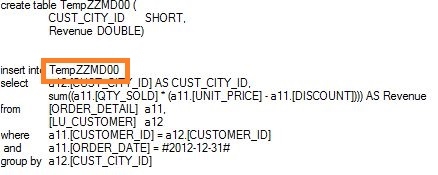
This will result in the following SQL
 

ka02R000000kVqSQAU_0EM440000002CYa.jpeg

 
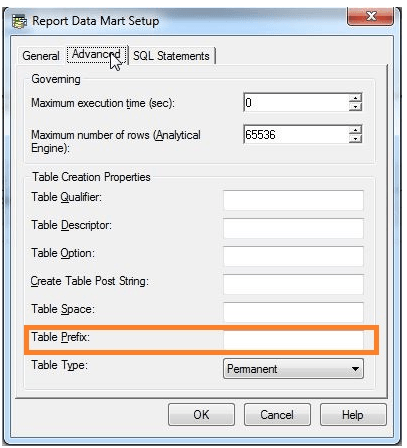
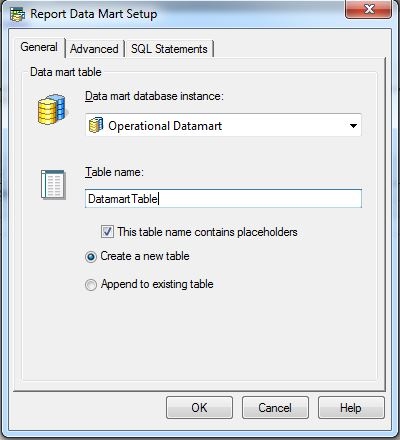
2.Configure datamart and leave the Prefix setting blank.
 

ka02R000000kVqSQAU_0EM440000002CYp.jpeg


ka02R000000kVqSQAU_0EM440000002MTF.png

 
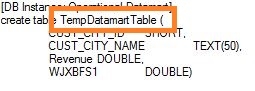
This will result in the following SQL Instead of there not being a prefix for the datamart table.
 

ka02R000000kVqSQAU_0EM440000002CYZ.jpeg

 
ACTION:
 
In order to remove this prefix, add the desired prefix to the datamart configuration or add a space to the field if no prefix is desired.


Comment

0 comments

Details

Knowledge Article

Published:

May 22, 2017

Last Updated:

May 22, 2017