SYMPTOM:
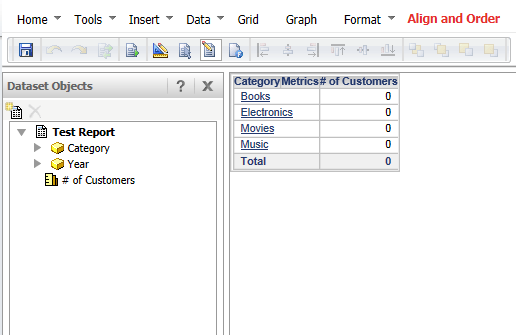
When running a document, zero or null values appear for a grid that was added as a shortcut:
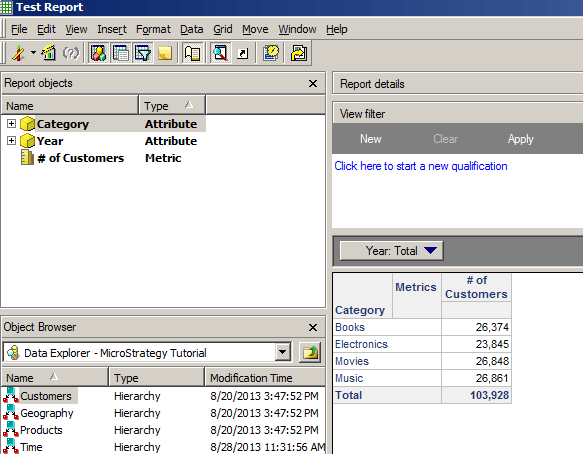
However, when running the report separately, the values display correctly:
CAUSE:
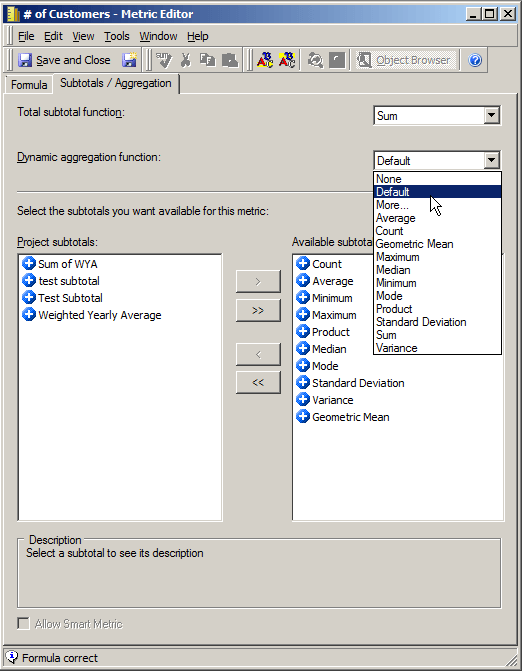
This issue occurs due to a combination of two settings. The first is that there is an attribute in the page-by for the report, but no attribute in the grouping section for the document. Although the dataset is inserted as a shortcut, it does not display exactly how it appears on the report due to this discrepancy. Therefore, the analytical engine will attempt to dynamically aggregate the metric within the document to the level of the attribute on the template, which is not always the lowest level. In the situation displayed above, the aggregation fails due to incorrect dynamic aggregation settings within the metric. This is the second incorrect setting. If the metric is not a sum function, there is a good chance the default dynamic aggregation setting will show zero or null values at a higher level.
ACTION:
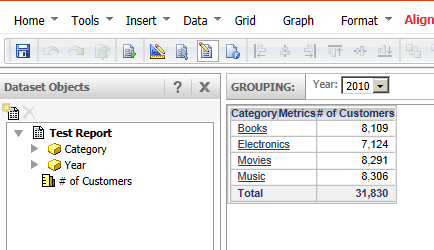
This issue can be resolved in one of two way. The first is to place the attribute from the page-by of the report into the grouping section of the document.
The second resolution if having the attribute in the grouping is not desired, edit the dynamic aggregation function of the metric in question. Go into the metric editor, navigate to the Subtotals/Aggregation tab, and set the dynamic aggregation away from Default to whichever other function fits the necessary requirements.