SYMPTOM:
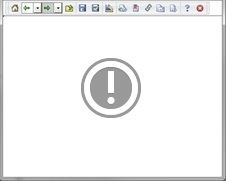
When running a Visual Insight report in Strategy Web 9.4.1, an exclamation mark is displayed, rather than the Visual Insight Report as seen below.
CAUSE:
This error is a generic memory error that was added by Adobe in Flash Player version 10.1 and will appear within a browser when the Flash Player is running in a very low memory environment. Because Visual Insight uses flash to render, and the flash dashboard builder executes on the client machine, the low memory environment is the client machine of each different user. When the VI dashboard requires more memory than the one available to the browser, the Flash player will break the cycle presenting the exclamation mark to prevent the browser from crashing.
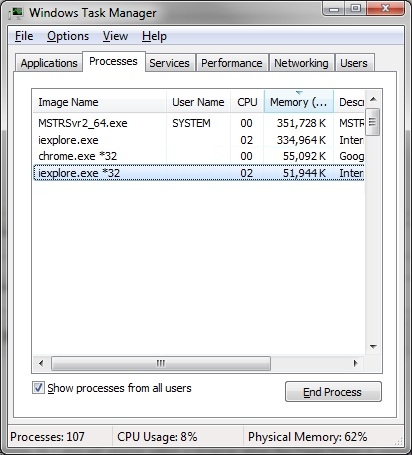
This can be caused by using a 32-bit browser instead of a 64-bit, or by attempting to run a dashboard too big for the client machine to handle.
ACTION:
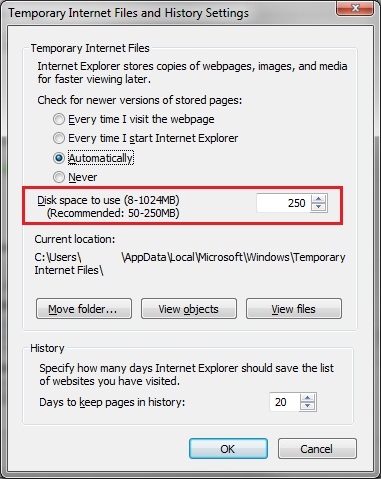
Follow some of these suggestions to try to overcome this issue:
WARNING:
The third-party product(s) discussed in this technical note is manufactured by vendors independent of Strategy. Strategy makes no warranty, express, implied or otherwise, regarding this product, including its performance or reliability.
This technical note contains a link to a third party website that is not under the control of Strategy. When the user accesses a third party web site, the user does so at his or her own risk and acknowledges that Strategy is not responsible or liable for any content, advertising, products or other materials available from such third party sites. Mention of third party companies and web sites in this technical note is for informational purposes only and does not constitute an endorsement or recommendation.
