SYMPTOM:
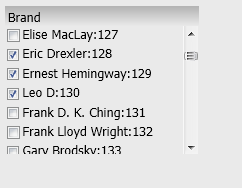
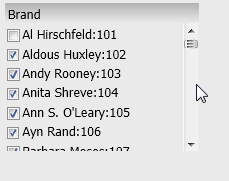
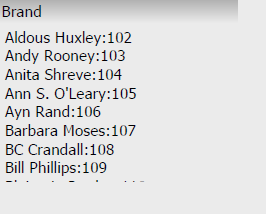
When a Report Services document that contains a check box selector is exported to PDF or Excel from Strategy Web 9.3.1, the check box selections are cut off. Below is an example where every element of the Brand attribute except one has been selected. After exporting, there is no way to tell all of the elements that have been selected since they get cut off:
CAUSE:
The is working as designed in Strategy Web 9.3.1. If the check box selector were to automatically expand to fit selections, it could overlap with other objects on the document. An request has been logged address this issue.
ACTION:
Fixed in Strategy Version 9.4.1 Please upgrade to take advantage of the fix.
WORKAROUND:
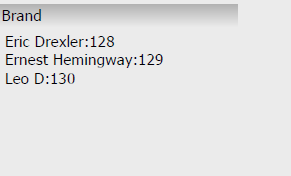
If the number of selections is small enough to fit within the check box selector's defined size, then in Design Mode, right click on the check box selector > Properties and Formatting > Layout, and uncheck 'Export selector to PDF as shown on screen' box.
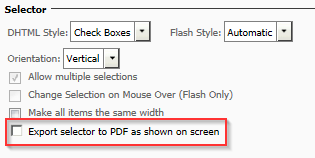
Below is an an example of 3 check box selections made and exported with the 'Export selector to PDF as shown on screen' box unchecked.