SYMPTOM:
The following procedure describes how to utilize Mobile subscriptions when Linking from a landing page document.
Strategy Mobile 9.x and 10.x contains a logic to allow document executions by link drilling to take advantage of Mobile subscriptions existing on the server. This allows long running documents to be displayed much faster when the mobile subscription is used.
In order to take advantage of this feature, please follow these steps:
1. Create a document that has links to other documents in it.
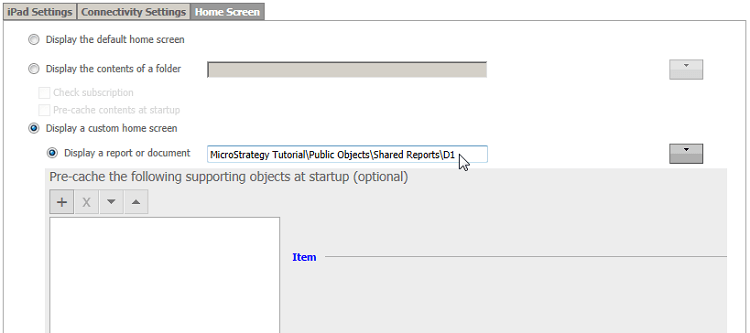
2. Create a Mobile configuration that utilizes a Landing page document in the Mobile Administrator page, like shown below.
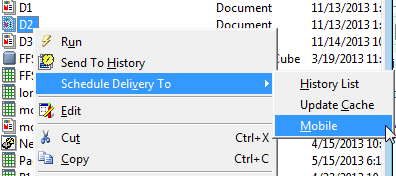
3. In Strategy Developer create a mobile subscription to the other documents linked in the Landing Page document, do this for the user that will be using the mobile application.
4. After the subscription has been triggered and finished successfully, Flash caches should appear on the document cache monitor in Strategy Developer.
5. Now when the documents are executed through links in the landing page document the mobile cache existing in the server created by the subscription will be used instead of a live execution.
** Note: It is important to allow the application to reconcile with the server after being opened for the caches to be acknowledged by Strategy Mobile. It is recommended to allow 5 to 10 seconds to pass since the moment the application is opened.
