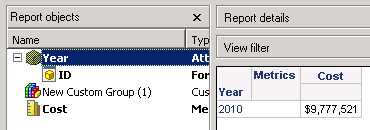
STEPS TO REPRODUCE:
Follow the steps below to reproduce the issue in Tutorial project:
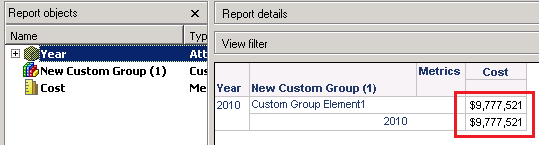
CAUSE:
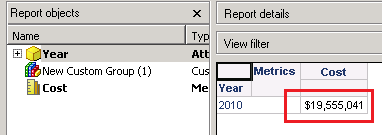
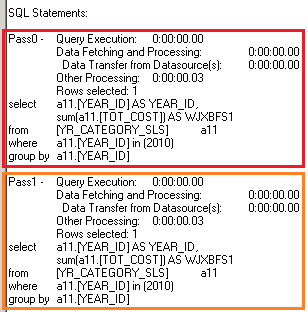
This is working as designed. In the report SQL, one pass is to calculate metric value of the custom group element, and another is to calculate metric value of the individual item (attribute). So when custom group is defined on the same attribute in the report, there will be two same passes generated.
ACTION:
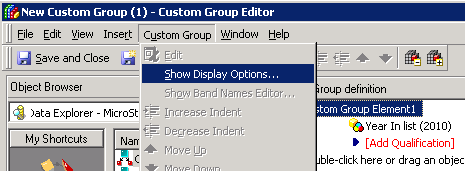
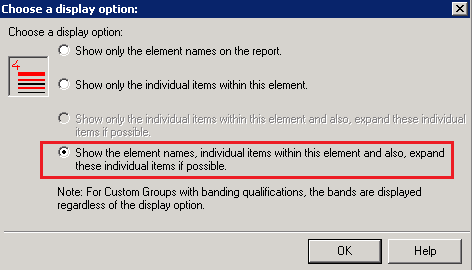
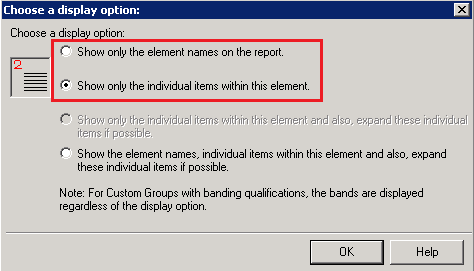
Select the custom group element, and go to Menu -> Custom Group -> Show Display Options. Select either the first ("Show only the element names on the report") or the second option ("Show only the individual items within this element"), as shown below:
Save and close the custom group.
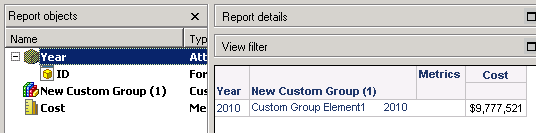
Run the report again with custom group in grid. There is only one element displayed, as shown below:
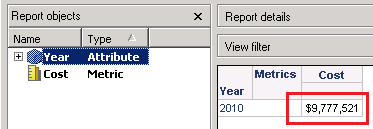
Remove the custom group from grid, and the result is as expected, as shown below: