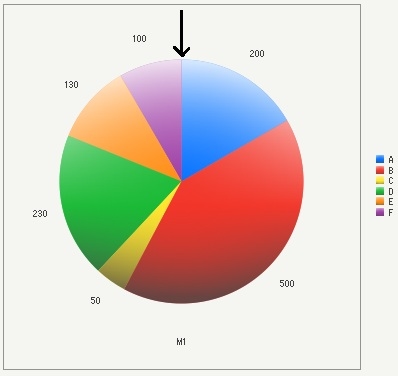
Users may wish to manipulate the position in which the elements of pie chart start. This technical note describes how the default setting maps the elements of a pie chart and how to control it.
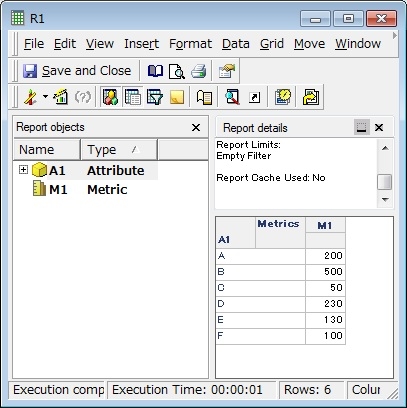
With the following report, a pie chart with the default setting values displays the first element at the 3 o’clock position as follows:
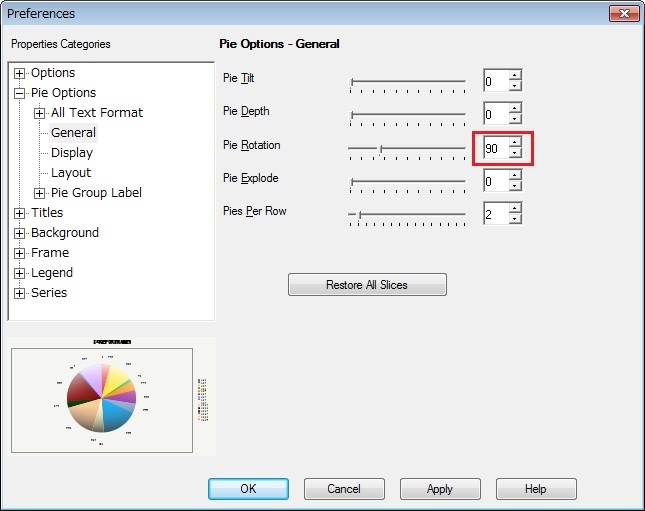
Some users may wish to change the position of the first element, so it starts from the very top (12 o’clock position). In order to change the element position, users will need to change the graph option in Strategy Desktop. In the graph option, change the ‘Pie Rotation’ property under -> to 90.
After the change, the first element of the report starts from the top position as follows.