In Strategy Analytics Enterprise, many datasets can be involved when a grid has multiple sources. The Strategy Engine has a work flow to calculate Aggregate from base metrics. Basically, it depends on the grid source and the difference of view template and base template. More details are explained below with an example from the Strategy Tutorial project.
Suppose that the document is based on two reports. R01: Category, Year and Cost; R02: Region, Year, Quarter and Revenue, Cost. Create one Aggregate from base derived metric, sum(cost)=sum(cost){~+} attached to R01 and the view template is Year, Region, Revenue, sum(cost) and grid source is R01.
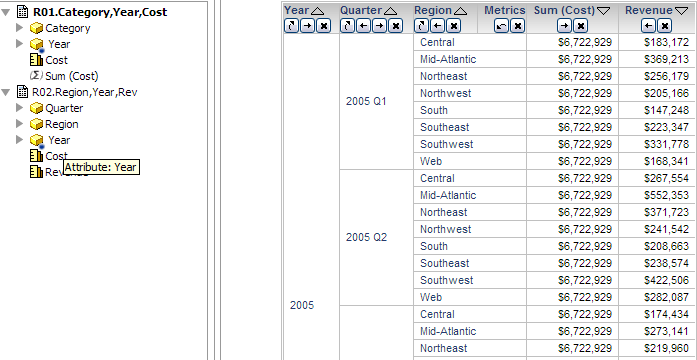
Since the grid source is R01 and R01 has cost, it will be calculated via a sub template against R01.
Sub template means that after decomposition for the template, there are no floating attributes left except the attributes are a necessary to calculate the metric (eg, attribute is specified as the level attribute in metric definition.)
The sub template for this case is Year, Quarter, Category and Cost.
1. Relation of Year and Quarter will be selected in the CSI.

2. Extension to Quarter from base R01 to get the sub template.

3
3. Calculate the AFB metric via the sub template.
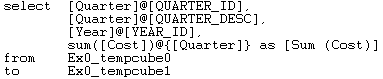
4. After that, join all the sub templates together.
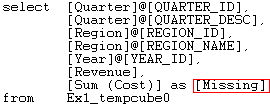
If the component of the Aggregate from a base metric, like cost in this case, exists in the multi-datasets and neither of them is the grid source, the Engine treats this metric as ambiguous metric and display as Missing Object Null.
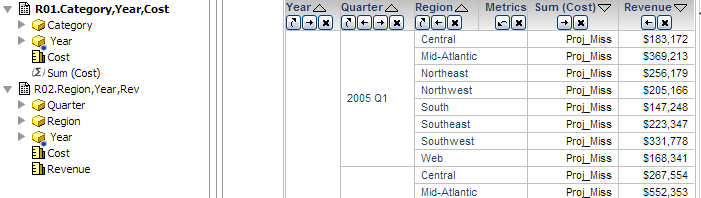
From the CSI view, the Aggregate from base metric is calculated as Missing.