Strategy Analytics Desktop introduced the functionality of exporting dashboard into Strategy Files (.mstr) files to share them with multiple users. Starting from Strategy Web 9.4.1 HF1 users can now import .mstr files into the Web Enterprise platform.
PREREQUISITE:
The Strategy Analytics Enterprise Administrator must upgrade the MetaData for the project(s) that users will be importing the .mstr packages into by following the steps below:
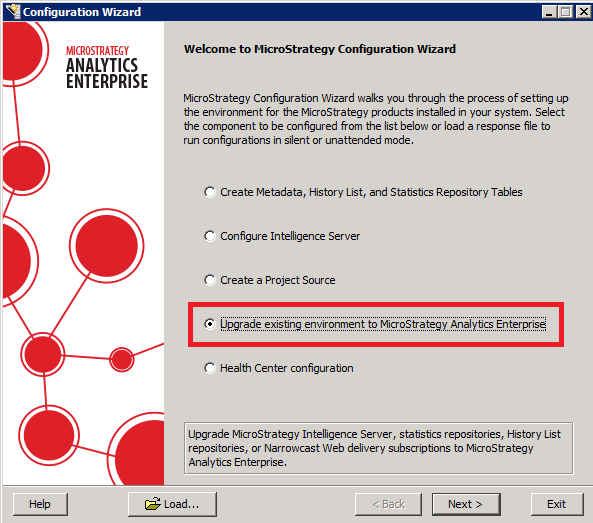
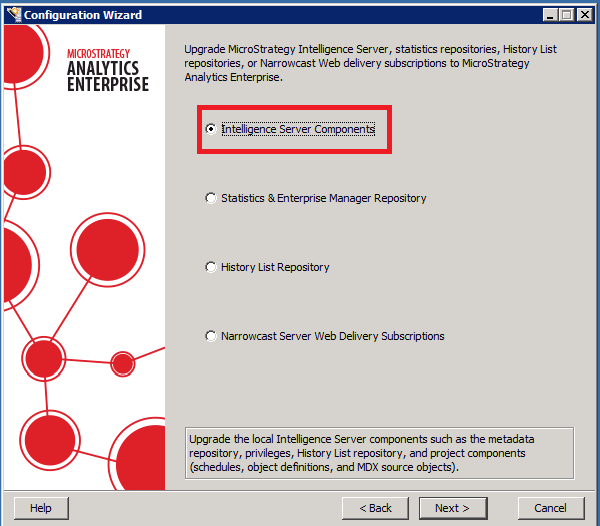
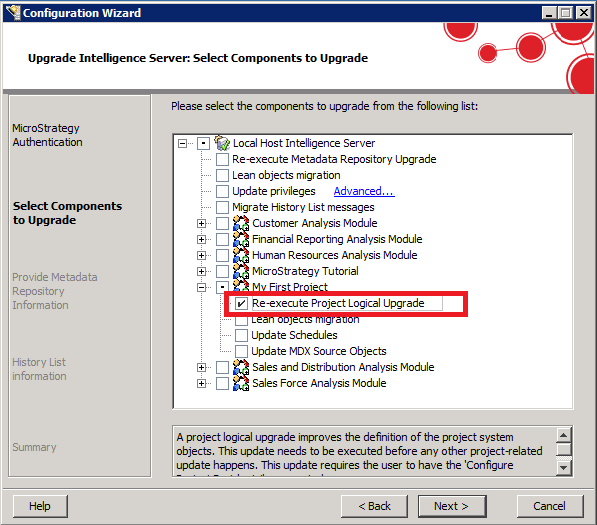
HOW TO IMPORT Strategy FILES:
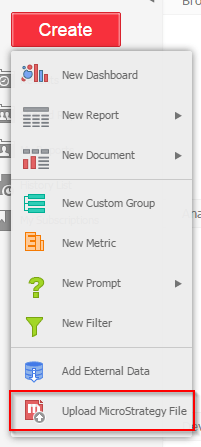
Strategy Files can be imported by selecting the option in the "Create" menu in the Strategy Web default homepage as shown below:
Version 9.4.1:
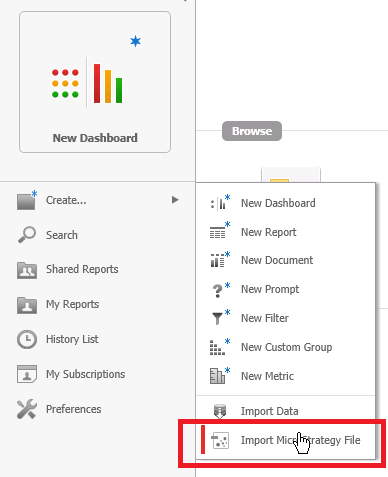
Version 10.x:
Additionally there is a new shortcut icon in the homepage as shown below:
Version 9.4.1:
Version 10.x:
COMMON TROUBLESHOOTING:
While importing .mstr files,users might encounter the error:
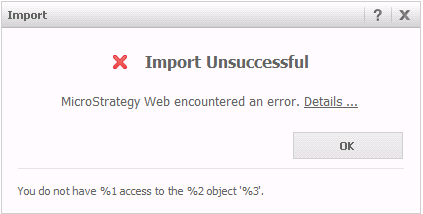
"Import Unsuccessful. Strategy Web encountered an error."
