Setting "Cache lookup cleanup frequency (sec)" can be found at Intelligence Server Configuration -> Server Definition -> Advanced.
The default value for this setting is 0, which means that the cleanup takes place only at server shutdown. Users can change this value to another based on their needs, but need to ensure that it does not negatively affect system performance. Strategy recommends cleaning the cache lookup at least daily but not more frequently than every half hour.
When saving modification of "Cache lookup cleanup frequency (sec)", message "The following setting(s) will take effect only after restarting Strategy Intelligence Server: Cache lookup cleanup frequency (sec)" will pop up.
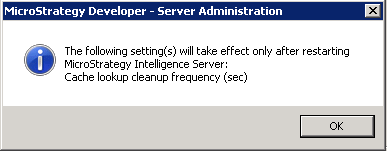
It requires an intelligence server restart to take effect. The timestamp of restarting the intelligence server is used as the starting point for calculation of next time cache lookup cleanup. The cache lookup cleanup is not at a fixed timestamp, but changes accordingly to the latest intelligence server restart timestamp.
It means every time intelligence server was restarted (timestamp A), the next time cache lookup cleanup will run at (timestamp A + value for "Cache lookup cleanup frequency (sec)").
Use below scenario to explain:
"Cache lookup cleanup frequency (sec)" is set as "3600" (i.e. 1 hour). And then restart intelligence server at 1 AM.
So next time the cache lookup cleanup will run at 2 AM (same day).
If user restarts intelligence server again at 4:30 AM, then next time the cache lookup cleanup will run at 5:30 AM (same day).
