SYMPTOM:
When running reports in Strategy 9.x and 10.x against an Oracle database, the Administrator user receives the error message below.

Sample Code/Error
Insufficient information to connect to the data source.
NOTE: This error is seen even when the Administrator user has the "Bypass all access security checks" privilege.
CAUSE:
This is caused by the Administrator not being assigned to a security role. When a user is not assigned to a security role, all of the privileges for the user will be gray X's which denote "No access granted". These gray X's will persist even if the privilege is granted at the user level directly.
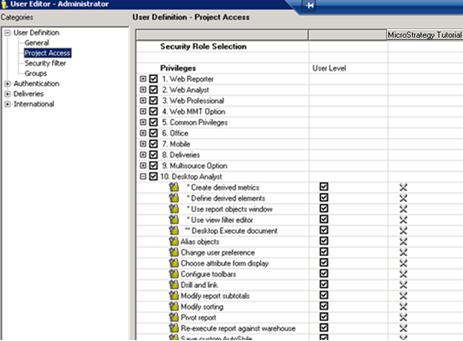
KB35845: Why does the Inherited Access option not show up for projects in Strategy Developer 10.x , further discusses issues seen in the user editor when a user is not assigned to a security role.
ACTION:
Add the Administrator user to a security role. If the Administrator user has all of the privileges granted at the user level, then any security role will suffice.
KB414247
