SYMPTOM:
Strategy Mobile applies localized formatting for dates and numbers according to iOS regional settings. Using a supported language and region on the iOS device will format dates according to the national date standard of the respective region/country when displaying reports and documents in Strategy Mobile for iOS.
Users may notice that the date format is not localized according to their national standard, i.e. in below example for German users date format DD.MM.YYYY would be expected:
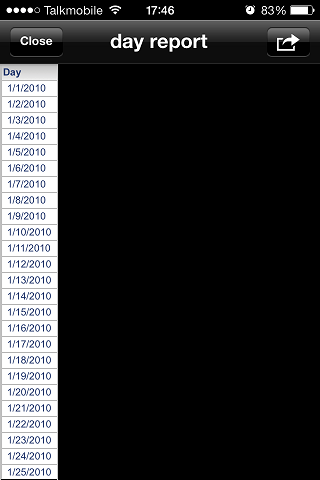
Regional settings in iOS (iOS Settings app > General > International > Region) are set to Germany:

CAUSE:
iOS differentiates regional settings between Germany and German. The latter option, "German" allows selecting a country, i.e. Germany, Austria, Switzerland. When setting iOS regional settings to Germany and not German, this issue occurs as described above.
ACTION:
Technology is currently investigating the root cause of this issue. Contact Strategy Technical Support for an update on this issue.
WORKAROUND:
Set the region to German > Germany to display the date format localized to Germany. The same applies to other supported languages, e.g. Italian.

